

What is a Help Desk Software?
The Help Desk is a tool used to automate the management of tickets and technical requests for support and assistance. It can be used to manage customer support relating to service malfunctions or the resolution of technical problems, such as hardware and software installations and failures.
A Help Desk Software collects all the communication from different channels into a single platform, allowing to better manage customer service, keep track of all user requests and communicate more easily and efficiently. Watch the video on the Deepser Help Desk software that you can find at our youtube channel.
The Help Desk service is often confused with that of Service Desk. The difference between Service and Help Desk software, lies in the objective: the Help Desk aims to manage daily IT activities, providing support and technological innovation; the IT Service Desk has a broader mandate and aims at Continuous Service Improvement (CSI).
Both the IT Help Desk and the IT Service Desk function as Single Point Of Contact (SPOC) but the Service Desk acts as a service provider to a corporate customer, rather than just managing user requests within the company.
What types of Software are there?
There are different types of help desk software. An easy way to classify them is as follows:
- Open source, software with open source code that external developers can freely access and modify, an aspect that allows users ample freedom of customization;
- Cloud-based, or proprietary software hosted online through a supplier’s website or application. Web-based help desk software solutions are generally sold in the form of annual or monthly subscriptions;
- Self-hosted / on premise: a self-hosted help desk is proprietary software that is installed directly on your servers, allowing you to keep all your data in house.
What features to consider when choosing a Help Desk Software
In the Help Desk Software Selection process, it is important to look for some specific characteristics. In particular, opt for:
- a unique tool to simplify processes and speed up internal / external communication;
- a highly customizable, scalable and flexible solution to accompany the growth of your company;
- a tool that can be integrated, easily and quickly.
What’s the Best Help Desk Software of 2025?
Below is a list of the best help desk software on the market.
1. Deepser
Deepser is an innovative Italian help desk & ticketing software developed to manage IT support and customer service in an integrated way. It serves SMEs and Enterprise companies. Installation is available cloud and on-premise.
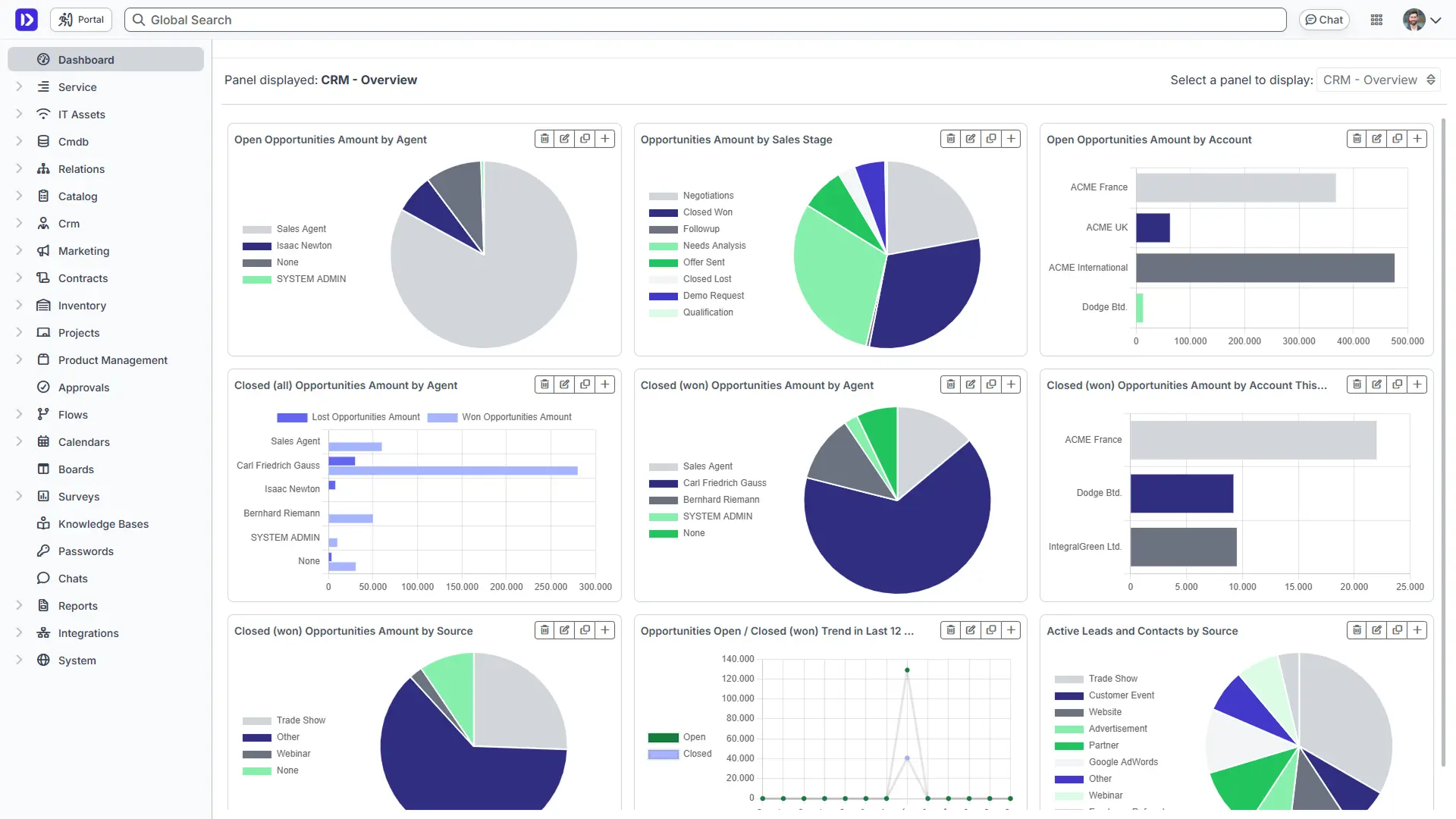
All Help Desk features are included in the basic license.
One of the pluses of Deepser is that all Help Desk functions are already included in the basic license. In addition to the complete Service Desk module , Deepser offers a CMDB for infrastructure management, CRM for sales team management, Escalation Rules, Timer and SLAs, Dashboard, Reporting and workflows for managing processes.
Intuitive software, easy to use and to configure.
There is no need to install plugins or use external tools. The configuration of the Deepser Help Desk software is simple and allows you to be operational very quickly. Both Help Desk operators and users can easily learn how to use the product, thanks to the very intuitive interface.
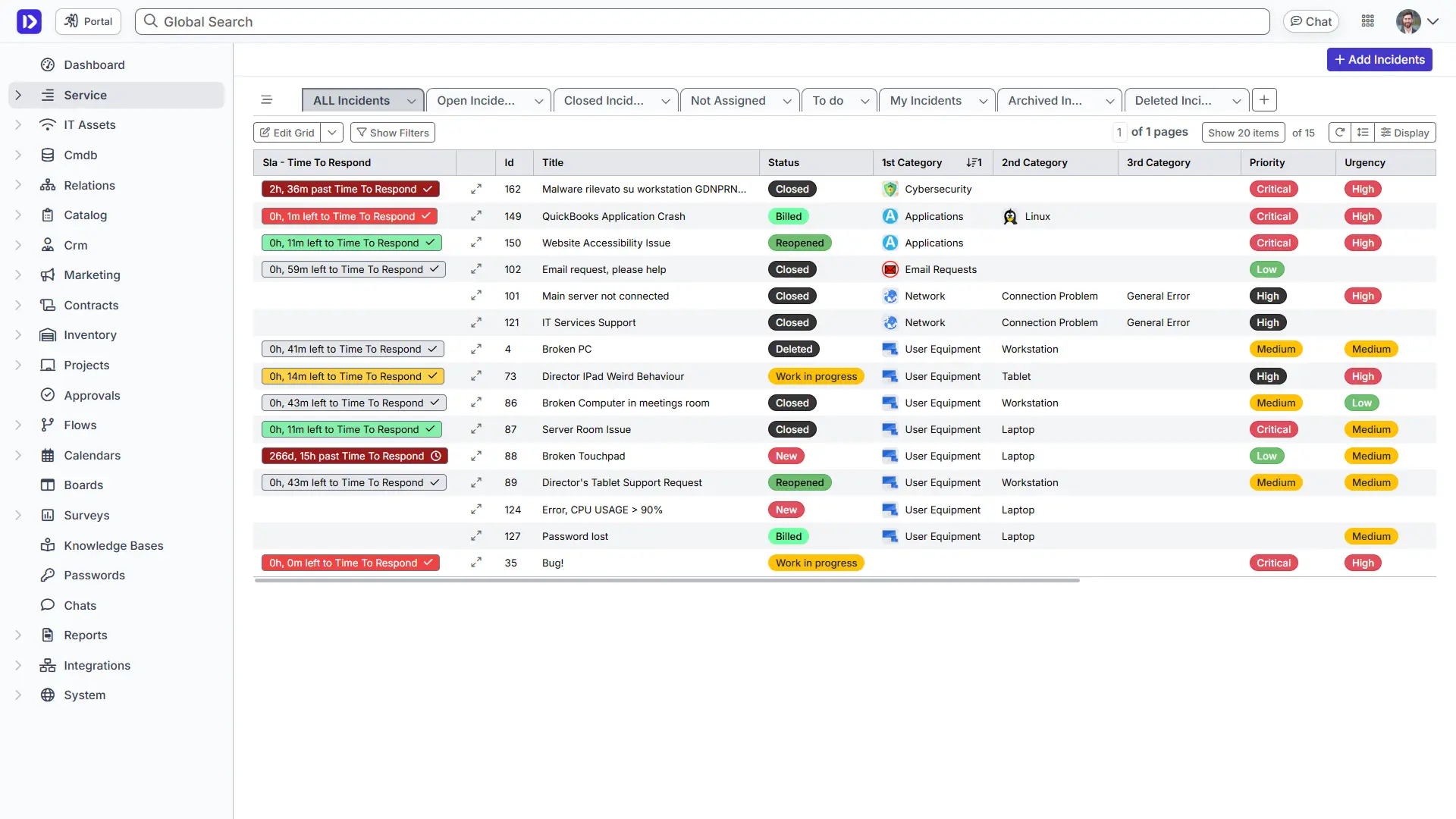
Complete customization for every business need.
All tools to configure the software to your business needs are included in the basic license. With Deepser, it is possible to customize fields, events, triggers, forms, views and notifications, calendars, reports and dashboards, as well as task automation and flexible ticket types.
Dedicated assistance
Deepser develops the software and direclty provides full support. For each project they dedicate a Project Manager who guides users in the correct configuration of the product.
You can test Deepser yourself now by activating a free demo.
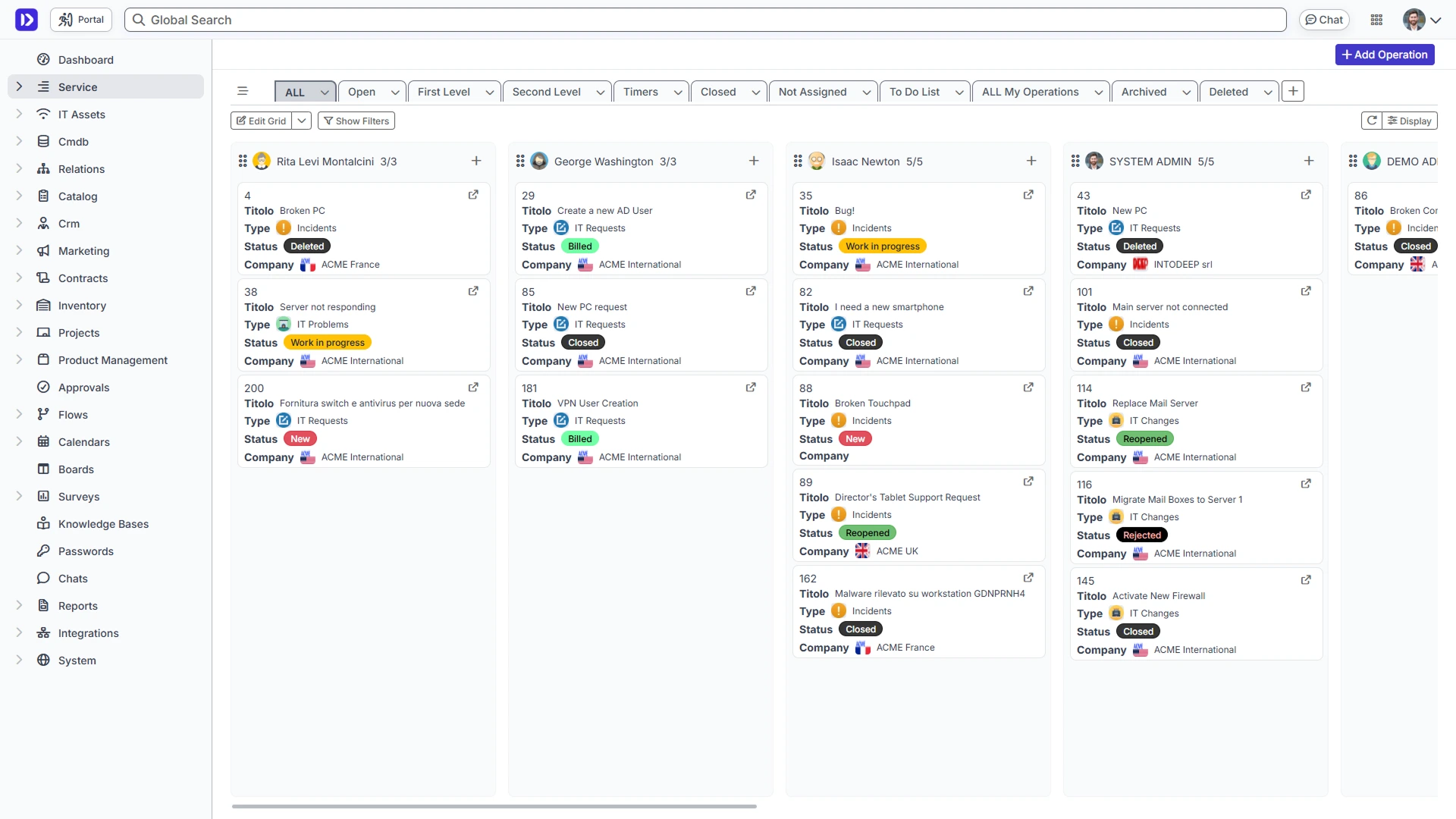
Deepser features:
- Service Help Desk
- User Portal
- Portal Designer
- Flow
- Contract Management
- CRM
- CMDB
- IT Asset Manager
- ITIL compliant
- Dashboard
- Report
- Calendars
- Board
- Password Manager
- Knowledge Base
- Live Chat
- API & SDK
2. Zendesk
Zendesk is a well-known software in the field of Help desk solutions. Multi-channel support, integrations and many features such as shared mailbox, knowledge base and live chat. It offers several advanced solutions based on artificial intelligence such as chatbots, however these are excluded from the basic plans.
Overall, it is a very complete product but at the same time also very complex and expensive. It requires a lot of time, energy and resources to be operational and for this reason it is not suitable for all types of companies.
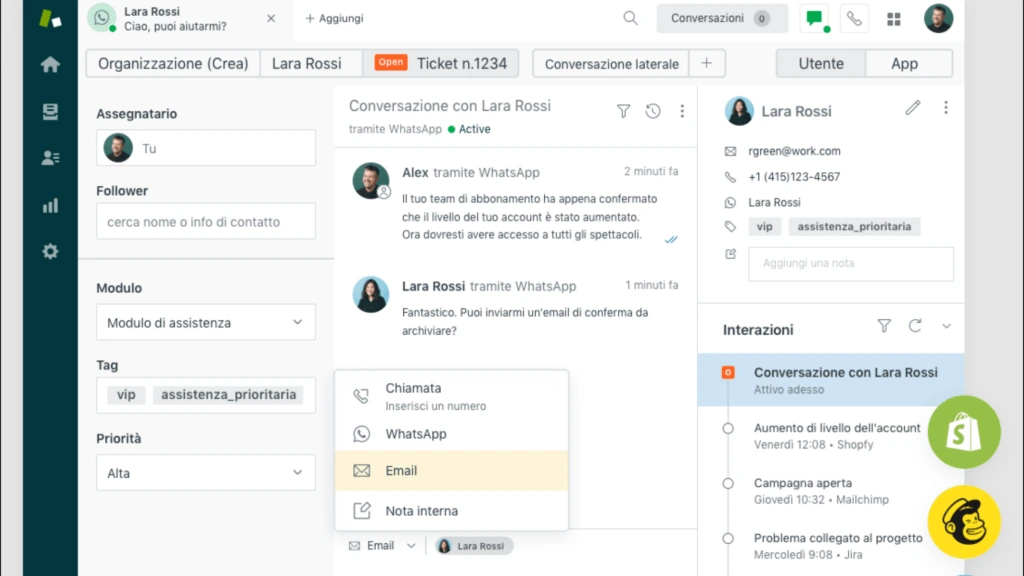
Zendesk features:
- Custom views
- Self-service options
- Integrated telephone software
- Analytics and reporting
- Chat and messages
- Collaboration tools
- API, SDK and app integrations
- Auto-Routing
- Custom Branding
- Omnichannel assistance
- Multilingual support
If you want to know more you can see a comparison table on Zendesk.
3. Freshdesk
Freshdesk is one of the best known and most appreciated cloud-based help desk software. As in Zendesk, among the most popular features are those based on AI, knowledge base and multi-channel communication support.
Freshdesk is a multipurpose help desk mainly suitable for Enterprise companies and adaptable very well to the needs of call centers.
It also has some third-party integrations and a number of optional additional features that are not available in the basic license.
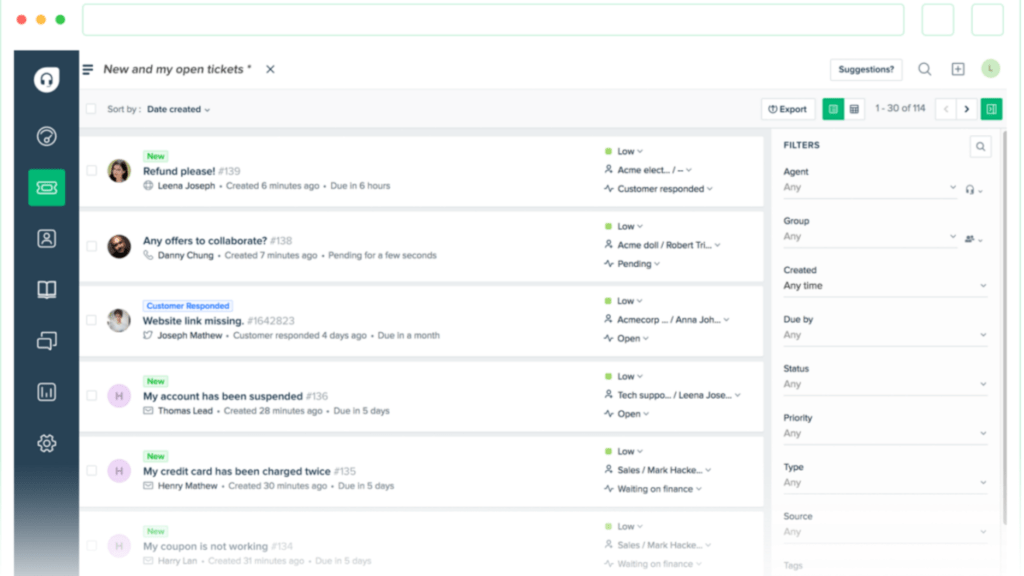
Freshdesk features:
- Report and analytics
- Mobile App
- Service catalog
- Default responses
- Approval workflow
- Release Management
- Dashboard for teams
- SLA management
- Chatbot powered by Freddy AI
If you want to know more you can see a comparison table on Zendesk.
4. Pylon
Pylon is a modern support platform specifically designed for B2B companies. It consolidates various customer support tools into a single solution, offering features such as ticketing systems, chat widgets, knowledge bases, AI support, and customer portals.
Pylon offers a comprehensive suite of tools, it is a relatively new entrant in the market. As such, some features may still be evolving compared to more established platforms.
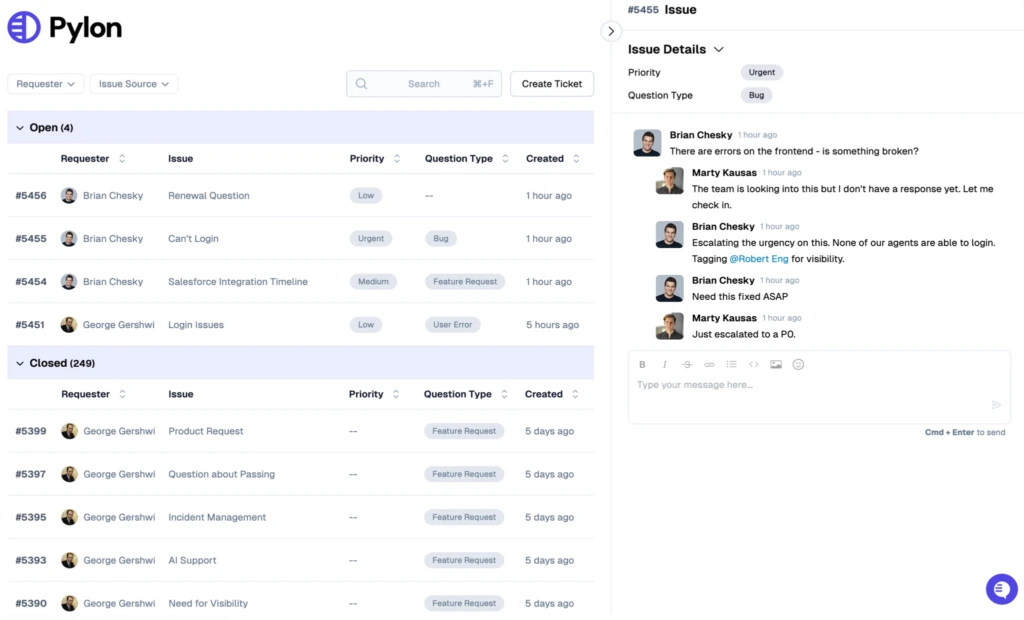
Pylon features:
- Unified inbox for managing communications across multiple channels
- AI-powered knowledge base creation
- Account management tools
- Customer portal for tracking issues and updates
- Workflow automation with triggers and macros
- Integration with platforms like Slack, Microsoft Teams, HubSpot, Jira, and Salesforce
- Analytics and reporting tools
- Customizable branding options
- Multilingual support
5. Jira
JIRA Service Management by Atlassian is a cloud-based help desk software designed primarily for IT and support teams. Among the features available, we find automation tools, self-service, knowledge base, incident management and conversational ticketing.
Jira also allows you to manage workflows, create custom forms and assign statuses to certain activities to keep everyone involved informed. However, many features are excluded from the base license.
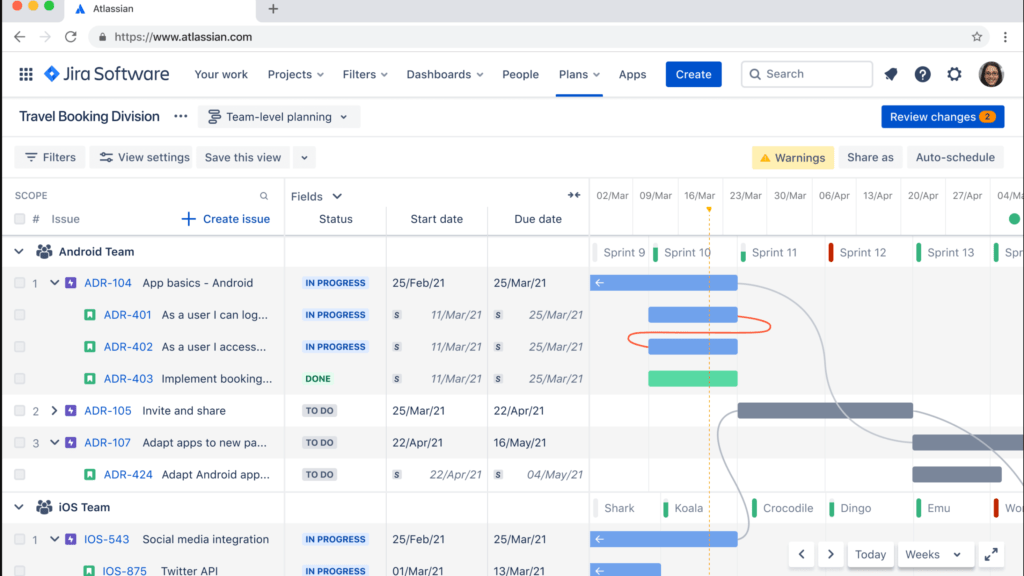
Jira features:
- Conversational Ticketing
- Post-closure analysis of incidents
- Change Management
- Reports and metrics
- SLA Management
- Resource management
- Smart Automation
- Knowledge base (with Confluence subscription)
- API
- Incident Management
- Self-service portal
To learn more about all the product features you can see a comparison table on Jira.
6. Sysaid
SysAid is one of the best-known IT help desk software solutions on the market, focused on automation.
It offers a series of features for the management of SLAs, tickets and workflow automation, through the use of a self-service portal. It also allows you to access a series of third-party integrations and have a simplified management and display of all resources.
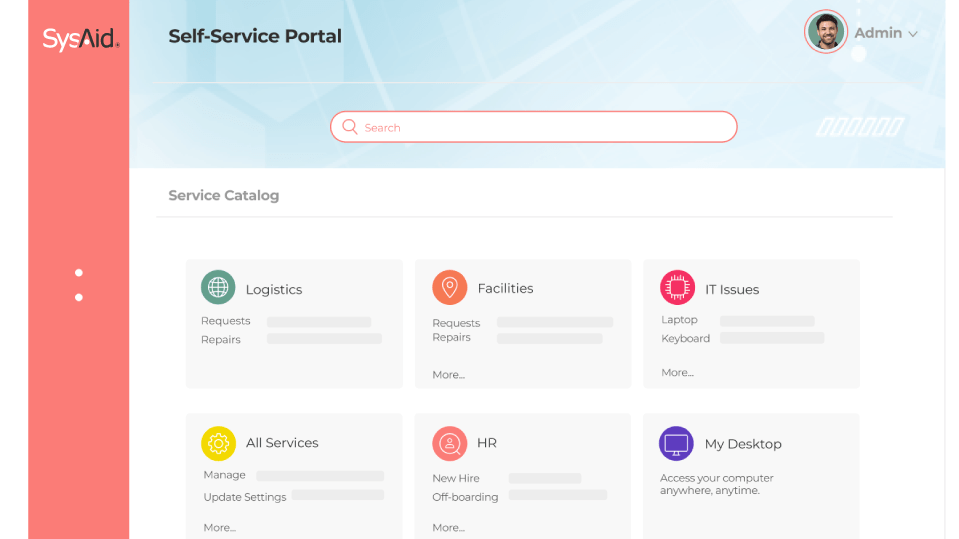
Sysaid features:
- Conversational Ticketing
- LDAP (Active Directory) integration
- ITIL package
- Advanced custom fields
- Third party integrations
- Automation of tasks
- Business Value Dashboard (in beta)
If you want to know more you can see a comparison table on Sysaid.
7. Zoho
Zoho Desk, in addition to being famous for its crm, also has a help desk solution to manage customer support. The platform is unique and easy to use; it can be integrated with other tools already used by the company.
Among the features of Zoho Desk shared mailbox, knowledge base and live chat. Among the pluses also the assisted response based on AI and advanced automations.
However, several features are offered only with the more expensive plans, certainly out of budget for some types of medium-small businesses.
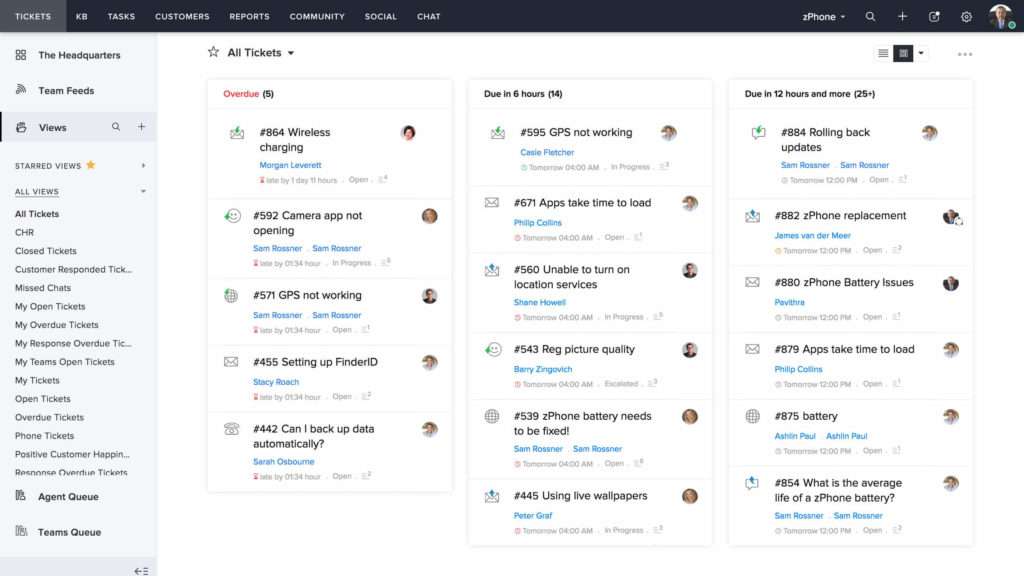
Zoho features:
- SLAs and escalation
- Help Center Theme Gallery
- Public and private knowledge base
- Customer satisfaction ratings
- Report and dashboard
- Sharing of tickets
- Scheduled reports
- Help Center Customization
- Artificial Intelligence
8. Manage Engine
Manage Engine Service Desk Plus is a solution designed for MSPs with advanced project management and IT asset management (ITAM) capabilities.
It provides a complete package of IT Service Management (ITSM) and modules dedicated to Knowledge base, Configuration Management Database (CMDB), a virtual assistant with AI and efficient SLA management.
Manage Engine is a software with many functions that allows you to easily manage incidents, increase agent productivity and easily manage services and contracts. However, many of the features present are not available in the basic license.
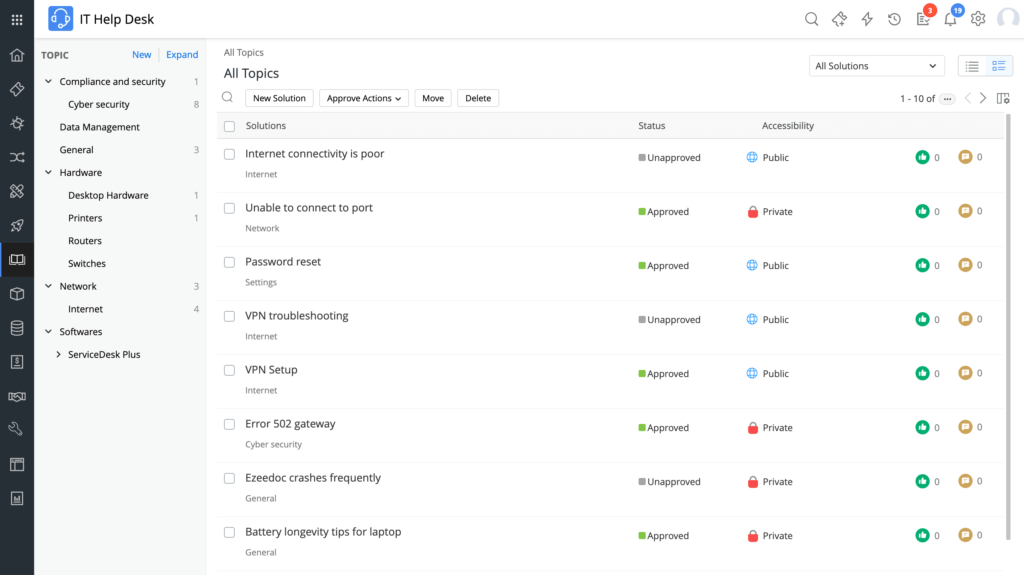
Manage Engine features:
- Automate Ticket Routing
- Ticket Prioritization
- Ticket Notifications
- Knowledge Base
- Knowledge Base/Ticket Integration
- Dashboards
- Time Tracking
- Surveys
- Mobile
- Self Service
- Active Directory
- Multi-Channel Access
- Help Desk
- Incident
- Reports
- Process Workflow
To compare some features, you can look at this comparison table on Manage Engine.
9. osTicket
osTicket is a customer support system designed to organize and manage support requests. The platform used is multi-user and web-based.
With this open source software, it is possible to manage in a transparent and easy way the incidents created by the users through emails, web forms and phone calls.
osTicket is considered among the best open source ticket systems, thanks also to the many features available. It also has a powerful API that allows you to integrate the tool with third-party solutions and is simple to install.
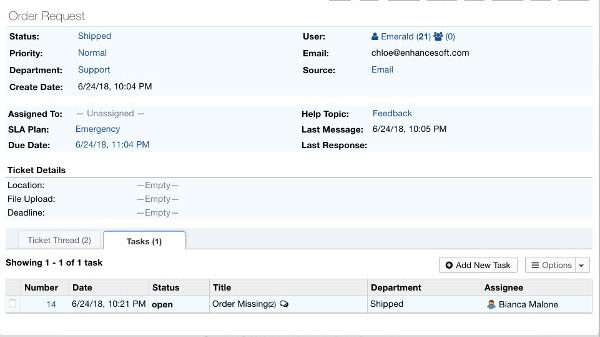
osTicket includes:
- Workflow configuration
- Ticket management
- SLA Management
- Macro/Patterns of responses
- Self-service portal
To compare some features, you can take a look at this comparison table on osTicket.
10. Front
Front is primarily known as a shared email management software inbox.
With Front, you can connect e-mails, SMS and social media accounts in a single shared mailbox. It includes productivity-related features such as internal notes and some automation features to reduce manual work. In addition, it offers analysis tools and integration with external tools but available only with high-cost plans.
Unfortunately, despite having multiple features, Front does not include a knowledge base for managing FAQs or a live chat tool for real-time support.
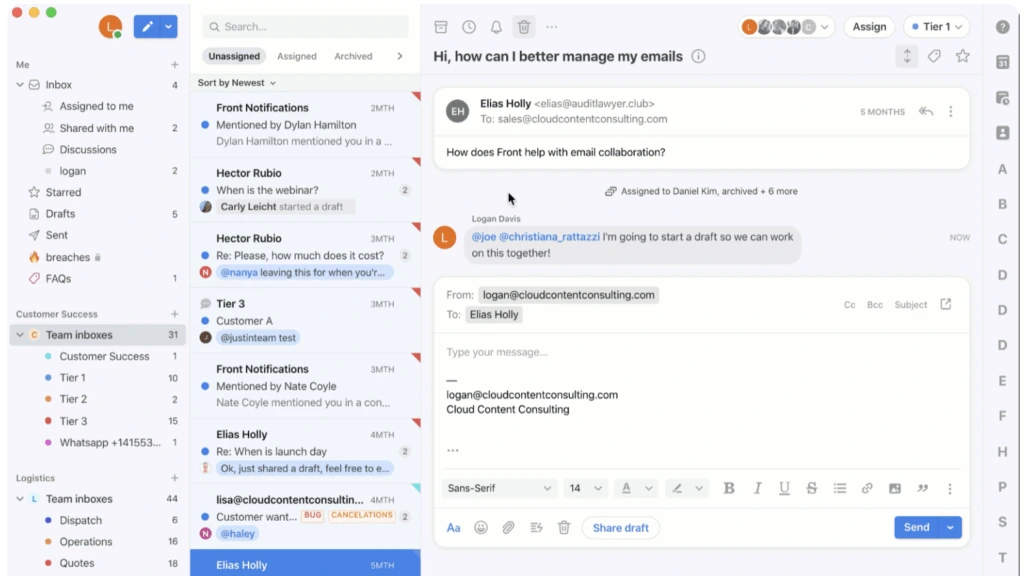
Front features include:
- Notes
- Internal Discussion
- Assignments and Tasks
- Workflows
- Templates
- Integrations
- Inbox Tools
- Unified Inbox
- Email Tracking
- Filters
- Reminders
- Notifications
- Calendar
- Desktop Application
- Mobile Application
FAQ
What are the advantages of adopting help desk software?
The main advantages of using a help desk software are: improvement in response times, optimization of time and costs, improvement in service quality, greater customer satisfaction and higher speed of intervention in case of criticality.
How to implement an efficient Help Desk service?
Implementing an efficient and well-structured service is a fundamental operation for companies that offer support to their customers. First of all, it is important to define objectives and priorities, choose the right partner and the most efficient tools for organizing processes. The benefits that you will obtain are many and will improve the quality of your work and life. Find out some useful tips on how to best implement the help desk and service desk service.
How much do Help Desk software cost?
The costs of a software of this type are variable and can range from approximately $ 10 to $ 100 per month per technician. To simulate and calculate a hypothetical cost of your help desk software, use a price calculator.
There are many proposals on the market and the best way to choose the correct help desk software for your company is to test it, as well as carefully evaluate all its qualities, pros and cons.
To start your research on the right foot, you can activate a free demo.



