


Introduction
Think about how employees in your company make IT requests. Do they email the help desk? Walk over to someone’s desk? Or maybe they try to guess who’s responsible and hope for the best?
This informal, unstructured communication leads to delays, confusion, and frustration on both sides. IT teams struggle to prioritize. Users don’t know what to expect. And management lacks the data to improve things.
A service catalog fixes this.
By offering a structured way to request and deliver IT services, a service catalog changes how support teams interact with the rest of the business. It’s not just a list, it’s a system that brings visibility, accountability, and order to your IT operations.
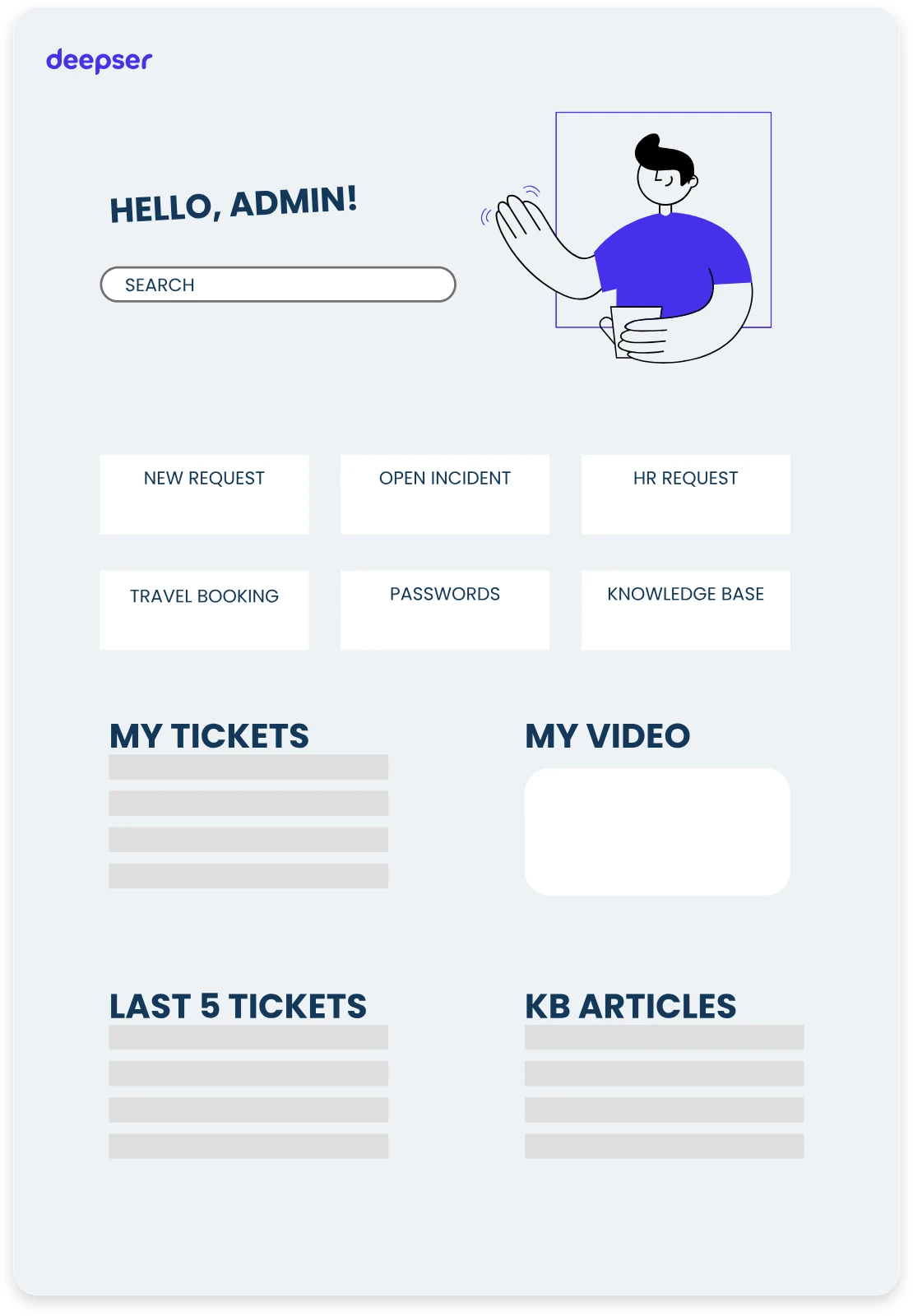
What is a Service Catalog?
At its core, a service catalog is a centralized resource that outlines all the services offered by IT. It serves as an interface between IT and the business, giving employees a clear view of what’s available and how to request it.
Each service in the catalog includes key information such as a description of the service, who is eligible to request it, any prerequisites, estimated delivery times, and necessary approval steps. For instance, if someone needs access to a restricted network folder, the catalog should specify the criteria for access, the expected turnaround, and who needs to approve it.
It’s not limited to just hardware or software. A well-built service catalog includes anything IT is responsible for: setting up VPN access, ordering new equipment, reporting issues, or provisioning accounts. The more comprehensive and well-structured the catalog, the more valuable it becomes.
A key difference between a simple service list and a functioning catalog is context. The catalog doesn’t just describe services, it defines how they’re delivered. It includes rules, workflows, and routing logic, making it a foundational tool in ITSM platforms like Deepser.
Solving Real Problems in IT and Beyond
Many companies underestimate how much time their IT staff spends dealing with repetitive, avoidable issues. Without a catalog, people rely on email threads, vague requests, or duplicated efforts. This slows down resolution times and increases the risk of errors.
Let’s say someone needs a new laptop. Without a service catalog, they might send a generic request: “Hey, I need a new computer.” That message ends up in someone’s inbox, missing key details like what kind of device is needed, who’s approving the purchase, and when it’s needed. The IT team spends time chasing information instead of delivering the service.
With a service catalog in place, that same request becomes structured. The user chooses “Request a Laptop” from a predefined list. The form asks for the department, justification, and urgency. Approval routes automatically to the right manager. IT gets notified with all the required info. Everyone knows what to expect.
This simple structure eliminates guesswork. It helps users request the right things, and it helps IT respond accurately and efficiently.
Deepser’s Service Catalog
Deepser’s approach to the service catalog emphasizes flexibility and control. Users browse services grouped into clear, intuitive categories—whether they need help, hardware, software, or access to business resources. What makes this powerful is the level of personalization. With Deepser, you customize each service based on the user’s role, department, or access level.
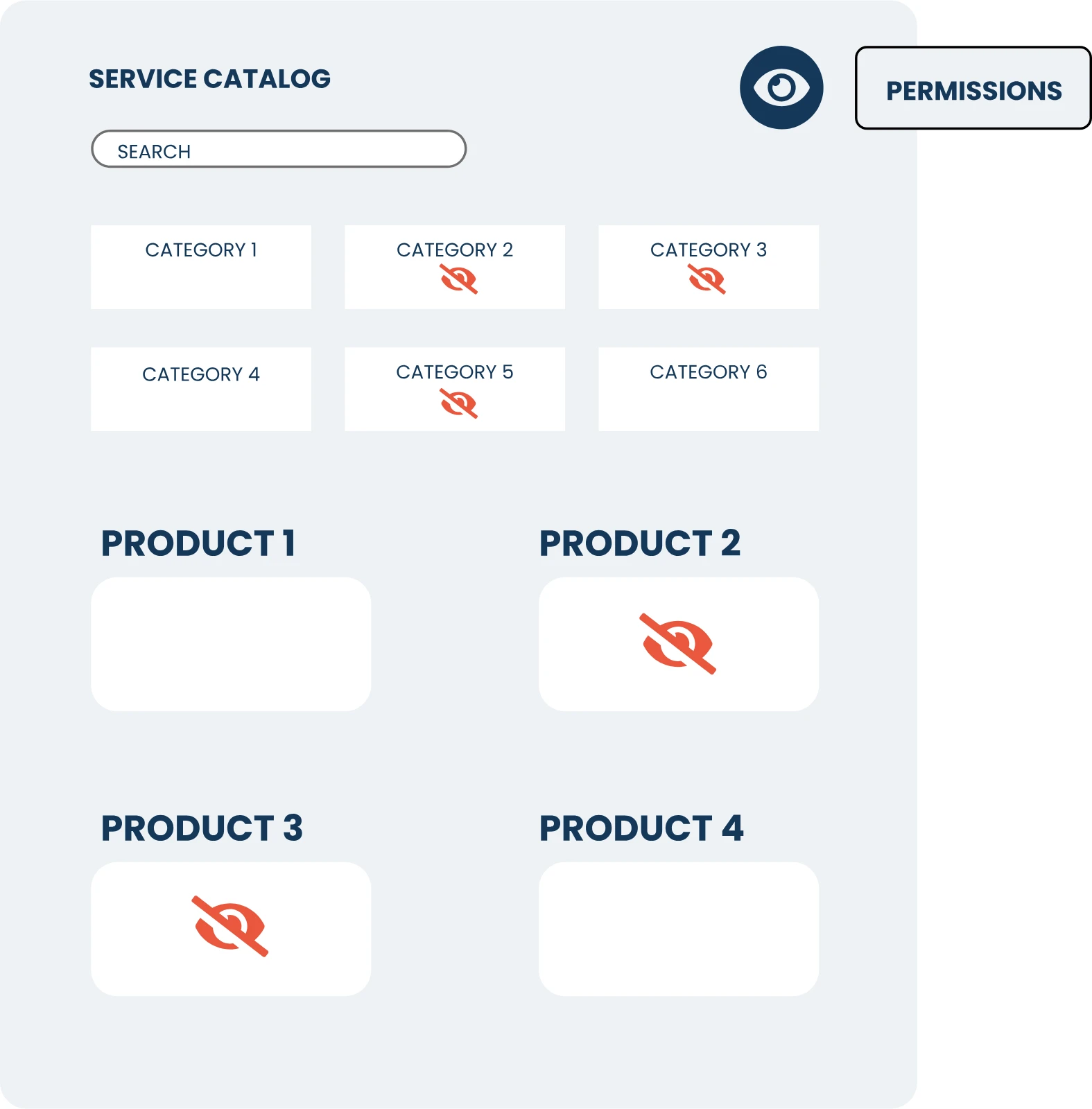
This means someone in finance might see very different service options than someone in marketing. An IT admin can access sensitive infrastructure tools, while the system only lets an intern request onboarding assistance or basic equipment. These rules help enforce security, reduce errors, and ensure requests are always appropriate for the person making them.
Moreover, once a user selects a service from the catalog, the system can automatically route it to the right team based on routing rules. This is critical in larger organizations where different departments handle different types of services.
For example, the system sends a software installation request to IT support, while it routes a contract review request to the legal or procurement team.
By structuring services with predefined flows, Deepser helps eliminate ticket misrouting and accelerates resolution time.
What Makes a Service Catalog Effective
Not every catalog works well. It’s not enough to list services, you need structure, context, and clarity.
A good catalog is easy to navigate. Services must be grouped in a way that makes sense to end users, not just to IT. That means avoiding technical language and instead using terms employees understand.
The services themselves need complete and accurate descriptions. Vague names like “Access request” don’t help anyone. Instead, break it down: “Request shared folder access for the marketing team” or “VPN configuration for remote employees.”
Deepser embeds these details directly into the service record, giving every request the right context.
Users know what the service does, what they’ll need to provide, and what happens next. This clarity sets expectations and helps reduce back-and-forth emails that often delay service delivery.
Another element that makes a service catalog effective is built-in approval logic. In many organizations, even basic requests need someone to sign off. Without automation, this turns into a bottleneck. But platforms like Deepser automate the approval flow: requests move from requester to approver, then to the delivery team, without manual handoffs.
This also means every step is logged, making the entire process transparent and auditable.
Perhaps more important, this structured intake allows for better planning. IT tracks which services users request most often, where bottlenecks happen, and what resources each service needs.
Over time, this turns into valuable insight for staffing, budgeting, and prioritization.
Service Catalog For Employees: Clarity and Speed
Employees can request what they need and track the status of those requests in real time. No more guessing or chasing updates, every step is visible inside the portal.
And when users need help, the built-in Knowledge Base offers immediate answers. As they fill out a request, relevant articles appear automatically, helping them solve common issues without waiting on IT.
Deepser combines structure, transparency, and self-service in one place so your team works more efficiently, and your users get the support they need, faster.
Service Catalog For Managers and Leadership: Measurable Performance
From a leadership perspective, a service catalog brings transparency. It creates a foundation for service-level agreements (SLAs), reporting, and accountability.
With Deepser, for example, each catalog item can be linked to specific SLAs. You can define response time targets, resolution deadlines, and escalation rules. If a request is delayed or at risk, the system flags it automatically.
This means managers no longer rely on anecdotal feedback or rough estimates to assess IT performance. They can generate reports that show how quickly requests are handled, where issues are recurring, and how service quality changes over time.
This data isn’t just about IT. It supports broader decisions: whether to hire more staff, adjust budgets, or invest in new tools. It also helps ensure compliance with regulatory requirements or internal policies by creating a verifiable record of actions and approvals.
Connecting the Catalog to Automations
One of the most powerful advantages of a service catalog is how it unlocks automation. Each service in the catalog becomes a trigger. Once a request is submitted, the system can start doing things without anyone manually stepping in.
Consider what happens when someone requests remote access credentials. Instead of waiting for IT to notice the ticket, figure out what’s needed, and route it, the catalog request launches a workflow that handles everything. The system checks the user’s eligibility, requests approval from their manager, creates the access credentials, logs the activity, and sends a confirmation when it finishes.
This isn’t just about speed. It’s about consistency. Every request follows the same rules. Every step is tracked. There’s no guesswork, no deviation, and no missed steps.
Deepser’s platform supports this model with a visual, no-code workflow configuration. Non-technical staff define how services work. When they need a new process or want to change an existing one, they update it directly—no custom code, no waiting on developers.
The more mature your catalog becomes, the more you can automate. Over time, this shifts your IT from being reactive to proactive, from doing repetitive tasks to managing value-added projects.
Monitoring and Reporting Built In
Once your catalog and workflows are in place, tracking performance becomes a matter of reporting, not investigation.
IThe system starts a timer, tracks progress, and escalates if needed. This helps avoid SLA breaches and keeps teams focused on what matters most.
Real-time dashboards show how the team is performing. Are most tickets being resolved on time? Which types of services take the longest? Are certain teams consistently over capacity? You can see these insights at a glance.
Deepser also allows you to schedule recurring reports for stakeholders. This helps other departments understand how IT supports them and where improvements might be needed. The result is less finger-pointing, more data-driven conversations.
How the Catalog Fits into the Bigger Picture
A service catalog isn’t an isolated tool, it’s a foundation. It touches almost every part of your ITSM ecosystem. It integrates with your ticketing system, your CMDB, your approval workflows, and your reporting engine. It also influences how you manage knowledge, assets, and even customer satisfaction.
With tools like Deepser, the catalog becomes the front door to IT. Behind it is a connected system that automates delivery, tracks performance, and adapts as your business grows.
It’s not about having a pretty interface or a searchable list. It’s about replacing chaos with structure. It’s about helping people get what they need to do their jobs. And it’s about giving IT the tools to deliver that help effectively, consistently, and transparently.
Conclusion
An IT service catalog isn’t just a list of services. It’s a commitment to clarity, accountability, and better service delivery. It turns chaotic, one-off requests into structured, repeatable workflows. It aligns users, IT teams, and business leaders around shared expectations.
When done right, it helps users get what they need faster. It gives IT teams better control over demand. And it offers leadership a clear view into what’s working and what’s not.
If you’re still managing services through shared inboxes or spreadsheets, you’re not just slowing down IT, you’re limiting your entire organization’s ability to operate efficiently.
How to Get Started: Building a Service Catalog That Works
Creating a service catalog doesn’t have to be complex, but it does need structure. Here’s a simple framework to help your team get started or refine what you already have:
1. List All Services You Provide
Start by identifying every service your IT team delivers. That includes hardware requests, software installations, access permissions, onboarding, troubleshooting, and anything else users regularly ask for. Don’t worry about structure yet, just get it all down.
2. Group Services into Logical Categories
Once you have the full list, organize the items into user-friendly categories. Think like a non-technical user: How would someone from marketing or HR look for help? Categories like “Devices,” “Software,” “Access,” and “Support” are often more useful than internal IT labels.
3. Define the Details for Each Service
For every service, outline the key details:
- Who can request it
- What info is needed to fulfill it
- Who approves it (if required)
- How long does it typically take
- What systems or teams are involved
Make this information visible to users so they know what to expect.
4. Build Forms and Automate Workflows
Once services are documented, build intake forms that collect all the right information. Then set up workflows to handle routing, approvals, and updates automatically. Deepser’s no-code interface makes this step faster and easier.
5. Link Services to SLAs
Assign each service an SLA that reflects business expectations. Whether that’s a two-hour response or a five-day delivery window, it creates clear accountability. Track performance over time to spot problems early.
6. Roll Out in Phases
Don’t wait until it’s perfect. Launch your catalog with a core set of services, then expand over time. Monitor feedback, measure results, and adjust as needed. This keeps momentum going without overwhelming your team.
7. Connect the Catalog to Other ITSM Tools
To get the full value, integrate the catalog with your ticketing, reporting, CMDB, and knowledge base systems. This gives IT full visibility from request to resolution and allows for continuous improvement based on data.
Ready to Build Your Own Service Catalog?
With Deepser, you can create a fully customizable service catalog that fits your organization, whether you’re managing simple requests or complex approval flows. Define your services, automate delivery, monitor SLAs, and give users a clear, reliable way to get IT support.
If you’re ready to bring structure to your IT services, Deepser gives you the tools to do it. Try a free demo from the link below



