
Updated: September 2026
What is a CRM Software?
A CRM (Customer Relationship Management) software is a platform that centralizes and manages all interactions between a company and its customers, both potential and existing. It collects data such as customer information, purchase history, support requests, and buying preferences. Thanks to advanced features—such as sales and marketing process automation, real-time data analysis, and integration with other business tools—a CRM allows for a more personalized service, improved internal collaboration, and faster, more informed decision-making.
Nowadays, a CRM software is much more than just a contact database: it is the central engine of every customer, lead, and partner relationship management strategy.
It must include advanced functionalities such as the automation of repetitive tasks and the generation of strategic insights through customizable dashboards.
The ultimate goal of a CRM software is to give companies a 360-degree view of every stage of the customer relationship:
From the first contact to after-sales support, allowing all relevant departments (sales, marketing, customer service) to work in synergy on a single platform. This results in stronger relationships, more effective decision-making processes, and sustainable growth over the long term.
Why has using a CRM software in 2026 become essential?
In 2026, a CRM software is no longer just an option, it has become a critical asset for any company aiming to remain competitive in a rapidly evolving market. Below are a few key reasons why investing in a modern CRM is essential:
- Improve Operational Efficiency
By automating repetitive tasks, such as data entry, sending reminders, or generating reports, a CRM frees up valuable time for your team. For example, this allows your sales staff to focus on high-value activities like building stronger customer relationships and closing more deals. - Retaining Customers with Personalized Experiences
An advanced CRM like Deepser enables you to segment customers based on purchase behaviors, preferences, and interaction history. Offering targeted promotions and personalized communications helps increase customer satisfaction and loyalty while reducing churn rates. - Centralize Information
A CRM consolidates all customer data and interactions, including emails, calls, purchases, and service ticket history, into a single access point. This unified view provides your Sales, Marketing, and Service departments with up-to-date information, minimizing silos, improving collaboration, and preventing errors or redundant efforts. - Scaling Without Hidden Costs
A modern CRM should be able to grow alongside your business, without adding extra fees for essential features. Deepser, for example, offers transparent pricing plans and a modular structure that expands based on your needs.
What to look for in a CRM Software?
Here are five key pillars to consider when choosing a solution that can face the upcoming challenges:
- Integrations
An effective CRM should seamlessly integrate with the existing tools in your organization, such as ERP systems (e.g., SAP), email marketing platforms (e.g., Mailchimp), or collaboration solutions (e.g., Slack or Microsoft Teams). The goal is to ensure real-time data sharing with specialized software, such as QuickBooks for accounting, Google Workspace for productivity, or Power BI for data analysis. These integrations enable each department to work with consistent data, streamlining processes across the organization. - Technical Support in Italian Language
For Italian SMEs, having localized support in Italian is a major competitive advantage. Deepser, for example, provides support in Italian, simplifying communication and making the entire process more efficient. - Security and GDPR Compliance
Protecting customer data must take top priority when selecting a CRM. It is crucial to opt for solutions that offer end-to-end encryption, redundant backups, and the ability to host data within Europe. Ensuring GDPR compliance helps maintain customer trust and avoids legal complications. - Customization
One of the key elements of a modern CRM is customization flexibility, which allows it to adapt to your company’s specific workflows and needs without requiring programming skills. A drag-and-drop interface, for instance, lets you configure dashboards, fields, and workflows quickly, reducing implementation times and making the platform easily accessible to your entire team. - All-in-One
Choosing a unified platform that includes CRM, help desk, and asset management in a single solution greatly simplifies processes and cuts operational costs. Eliminating the need to juggle multiple tools also streamlines data management and boosts overall efficiency.
Artificial Intelligence and AI Agents: the real game-changer for CRM in 2026
If one element sets a 2026 CRM software apart from the one you knew just a year ago, it is the now-central role of artificial intelligence. AI is no longer an add-on reserved for large enterprises: it has become the engine that makes a CRM genuinely proactive — able not only to store data, but to suggest, anticipate and, increasingly, act.
The key shift is the move from “copilot” assistants, which respond to a user’s request, to AI agents (so-called agentic AI): systems that can carry out entire workflows autonomously, under the operator’s supervision. An agent can qualify a lead, update its record, propose the next action and even open and route a ticket, leaving the higher-value decisions to the human team.
What AI can do in a modern CRM
- Predictive lead scoring: analyzes interaction history and prioritizes the contacts most likely to convert.
- Automatic summaries and transcription: recaps of calls, emails and tickets, so the team regains context in seconds.
- Next-best-action: contextual suggestions on the most effective next move for each deal.
- Agentic automation: autonomous handling of repetitive tasks, from data entry to routing requests.
- Sentiment analysis: detects tone in communications to prioritize at-risk customers.
- Content generation: draft replies, emails and quotes ready to review and send.
For anyone evaluating a CRM in 2026, the question is no longer “does it have AI?” but “what kind of AI, with how much control, and with what data guarantees?”. It is essential to check where data is processed (ideally within Europe, for GDPR), which tasks the agent can perform autonomously versus which require human approval, and whether AI features are included in the license or carry extra costs.
Seen this way, an all-in-one CRM like Deepser — which combines CRM, help desk and workflow automation in a single platform — offers the ideal ground for AI: the more your sales, service and asset data are centralized, the more your automations and intelligent agents can work on complete, consistent information.
The 11 Best CRM Software of 2026
1. Deepser
Deepser is designed to integrate IT support, customer support, and the entire sales cycle, fulfilling the needs of SMEs and larger enterprises alike. It is available in cloud or on-premise formats, providing every essential feature in the base license for quick implementation and easy team collaboration.
Thanks to an intuitive setup and a fully customizable interface, Deepser significantly reduces startup times and offers a highly competitive price-performance ratio compared to other CRM software. Its ease of use makes it popular with teams of any size.
Deepser’s CRM Software and Its Features
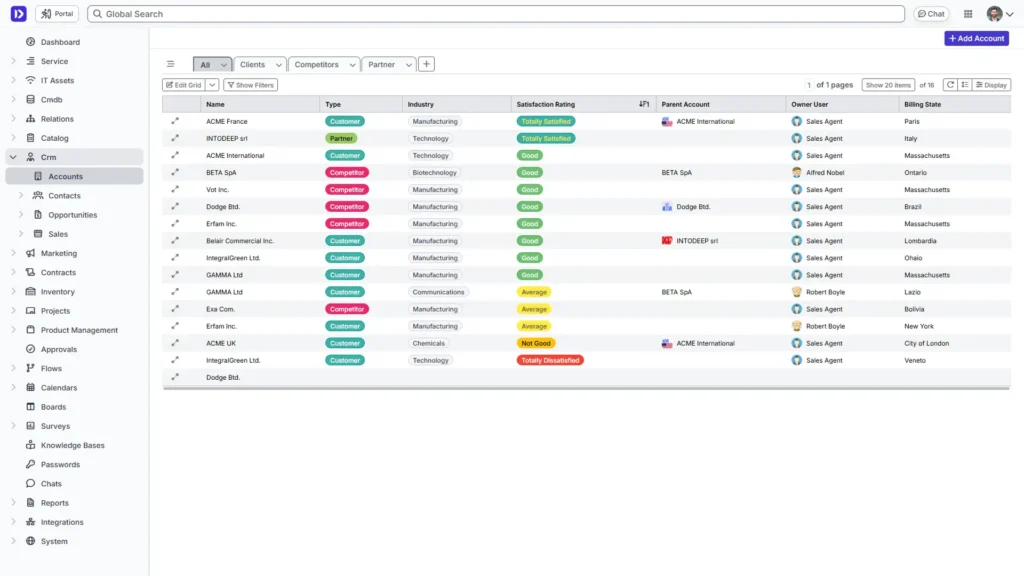
- Account Management
In the Accounts section, you can register all client company details, classifying them by type (end customer, partner, supplier) and industry. This structure gives you a clear overview of your client portfolio and helps you track every interaction, such as calls, meetings, emails, and notes. You will never lose sight of deadlines, commitments, or follow-up opportunities.
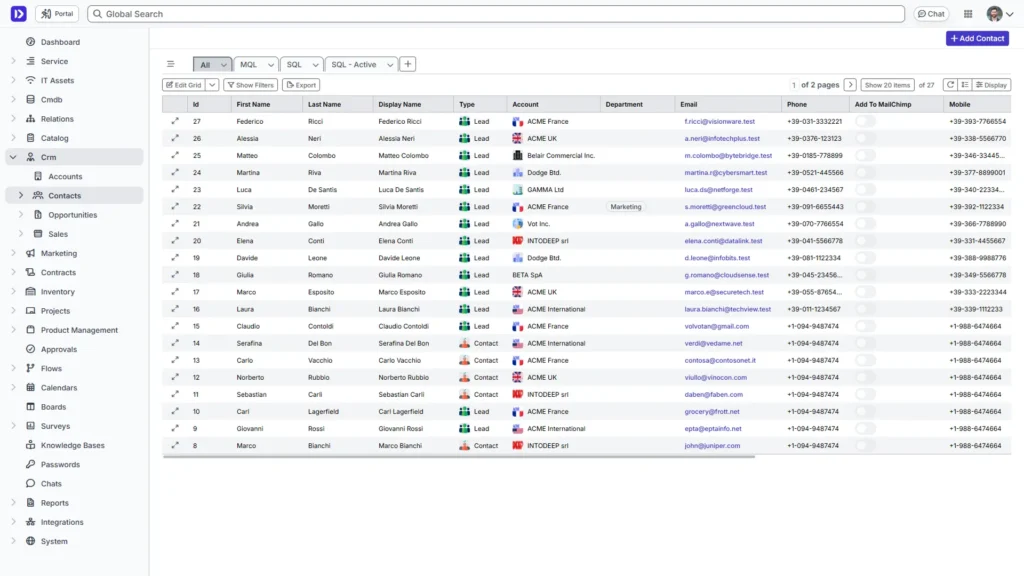
- Contact Management
The Contacts section enables detailed lead management, capturing information like department, job title, acquisition source (event, marketing campaign), and any other relevant data. This comprehensive profile creation makes segmentation and personalized outreach much simpler.
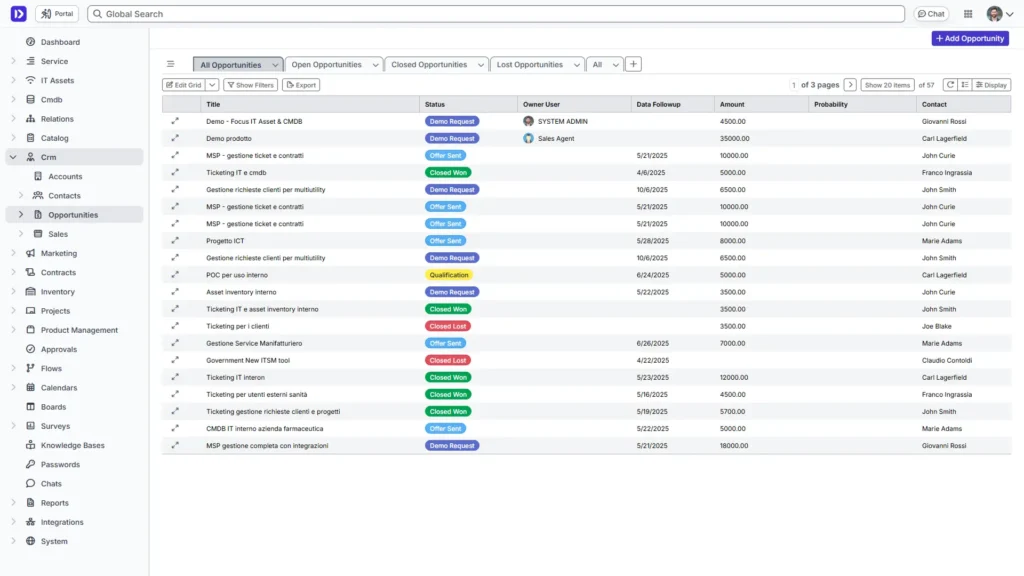
- Opportunities
In the Opportunities area, you can create and monitor all business opportunities, ranging from new deals to strategic partnerships. Each record includes details such as estimated value, progress stages (first contact, proposal sent, negotiation), and closing probability. These details let you produce accurate sales forecasts and refine your growth strategies.
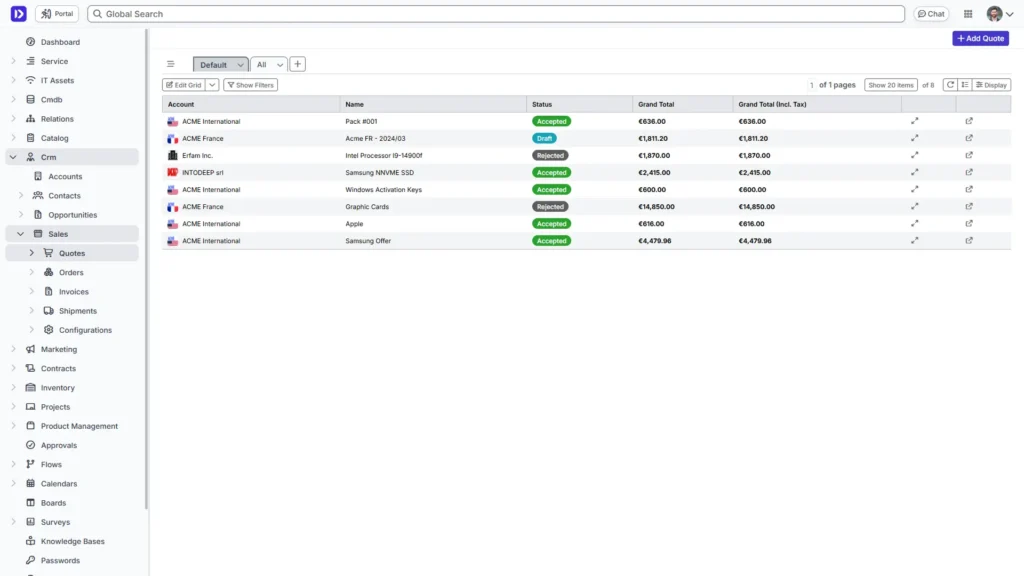
- Complete Sales Cycle
Deepser covers the entire sales cycle, from the first interaction with a potential customer to contract signing. You can generate personalized quotes directly in the platform, manage price lists, and send professional documents with a few clicks.
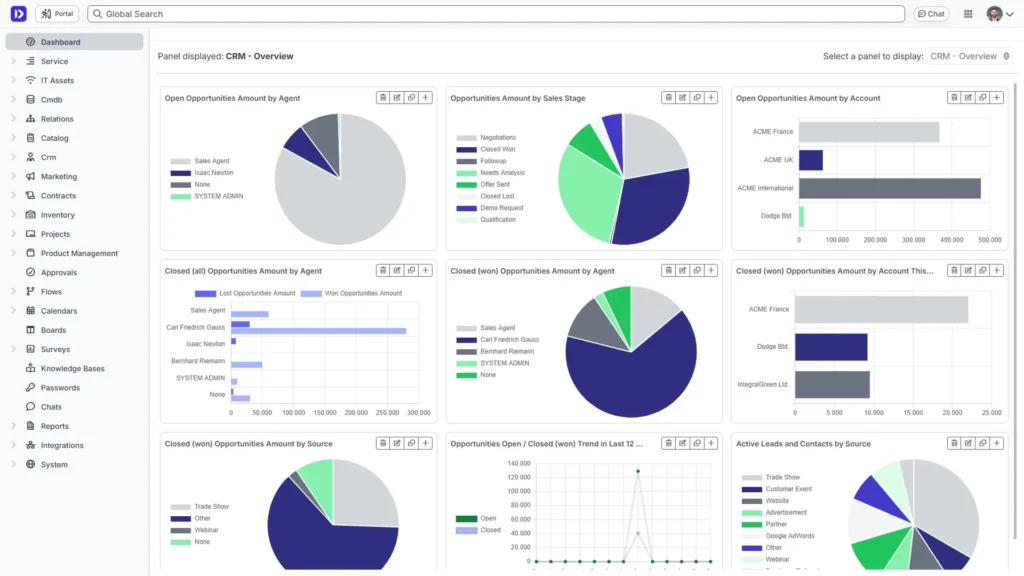
- Customizable Dashboards and Reports
With intuitive dashboards and customizable reports, you can track the sales team’s performance, identify trends, and make data-driven decisions. Key metrics, such as the lead conversion rate or average opportunity value, are at your fingertips.
- Integration with Other Modules
Deepser is more than just a CRM. It is an all-in-one platform that integrates help desk, asset management (CMDB), and process automation, giving you a single environment to handle customer relationships, technical support, IT assets, and business workflows.
Dedicated support
Deepser is developed and supported by a growing software house. Its intuitive setup and fully customizable interface are designed to adapt to your needs. If you prefer, you can be supported by a project manager who will guide you in configuring the software and provide training to fully leverage all its features.
Deepser’s Features
- CRM for managing contacts, leads and opportunities
- ITIL Compliant Service Desk
- CMDB for infrastructure management and mapping
- WorkFlow and customizable automations for work processes
- SLA and integrated escalation rules
- Dedicated and customizable User Portal
- Configurable Dashboards and Reports
- Board for agile task visualization
- Integratable calendars and shared task management
- Internal and External Knowledge Base
- Password Manager with differentiated security levels
- API & SDK for integrations with other enterprise software
- Rapid assistance and a dedicated Project Manager.
- Choice of cloud or on premise
2. Salesforce CRM Software
Salesforce is one of the world’s most prominent CRM software programs, offering integrated solutions for sales, marketing, and customer service. Created to meet the needs of large enterprises, it is distinguished by its breadth of functionality and wide range of integrations with third-party applications.
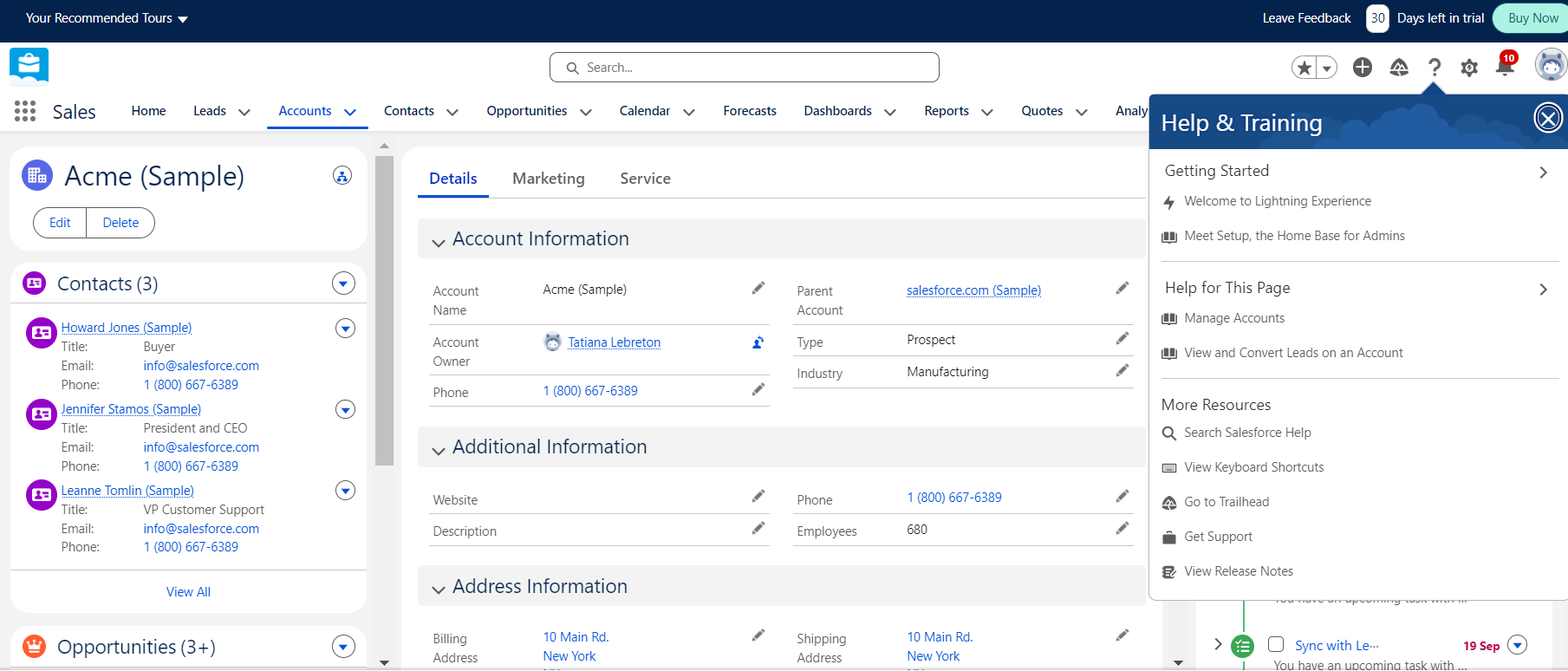
Salesforce features:
- Comprehensive lead and opportunity management
- Integration with Slack and Microsoft Teams
- Marketing automation and customer journey
- Customizable dashboards and reports
- App Store (AppExchange)
- Vertical solutions for different industries
- Customer support and ticketing capabilities
- Management of multichannel campaigns
- Native connectors with ERP and e-commerce platforms
- AI tools and predictive analytics
3. HubSpot
Alongside Salesforce, HubSpot is among the world’s most frequently adopted CRM platforms. It offers tools for contact management, marketing automation, and customer support within a single environment. It is especially known for its user-friendliness and strong integrations with digital marketing channels.
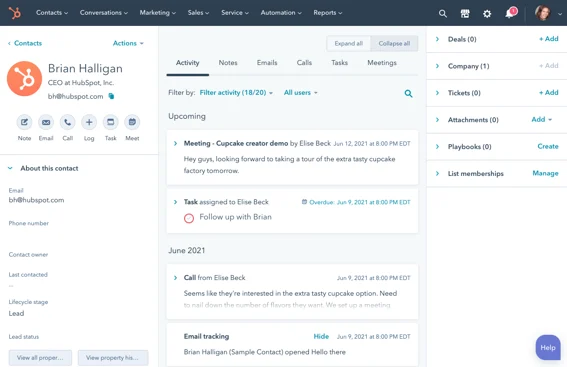
HubSpot features:
- Centralized contact and lead management
- Integrations with Gmail, Outlook, and Google Workspace
- Email automations and marketing workflows
- Social media and PPC campaign tracking
- Customizable sales pipeline
- Real-time reports and dashboards
- Integrated live chat and bots
- Content library and email templates
- Connectors with e-commerce tools
- HubSpot App Marketplace with a variety of extensions
4. Microsoft Dynamics 365
Microsoft Dynamics 365 integrates CRM and ERP into a single ecosystem, leveraging the familiarity of Microsoft tools such as Office 365, Teams and Power BI. It offers dedicated modules for sales, marketing, service and data analytics, with the ability to extend functionality through apps and connectors.
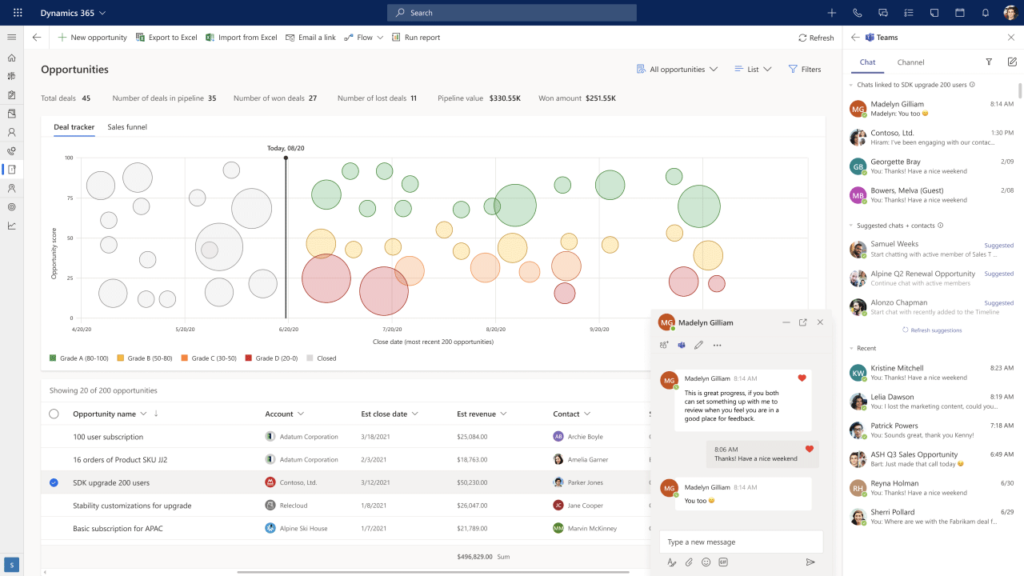
Microsoft Dynamics 365 Features:
- Native integration with Office 365 and Teams
- Lead, opportunity and account management
- Integrations with Power BI for advanced analytics
- Marketing and Sales automation
- Modules for customer service and field service
- Industry-specific vertical solutions
- Real-time document collaboration and sharing
- Configurable pipeline and forecast management
- Connectors with ERP and accounting tools
- Marketplace for apps and add-ons
5. ClickUp
Initially a project management tool, ClickUp now includes CRM features for handling leads, tasks, and sales workflows. Its main objective is to consolidate teams, projects, and customers in one place, offering flexible workflows that can be tailored to different needs.
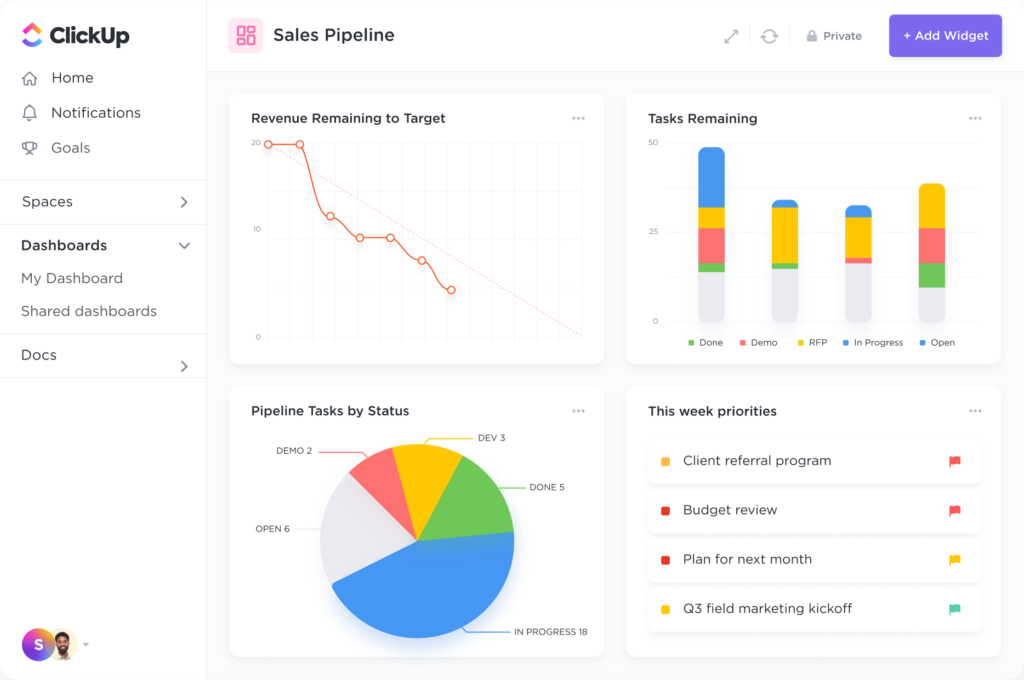
ClickUp features:
- Kanban boards for pipeline and task management
- Shared documents and notes
- Time tracking and resource allocation
- Rule-based automations
- Real-time collaboration among departments
- Integrations with Slack, Google Drive and GitHub
- Support for multiple project management methods
- Custom dashboards for sales and marketing
- Custom forms for leads and opportunities
- Fast reports with Gantt and calendar views
6. Pipedrive
Pipedrive is a CRM centered around a visual sales pipeline, featuring a drag-and-drop interface that simplifies the management of leads and deals. It tracks calls, emails, and customer interactions, and also supports integrations with many popular sales and marketing tools.
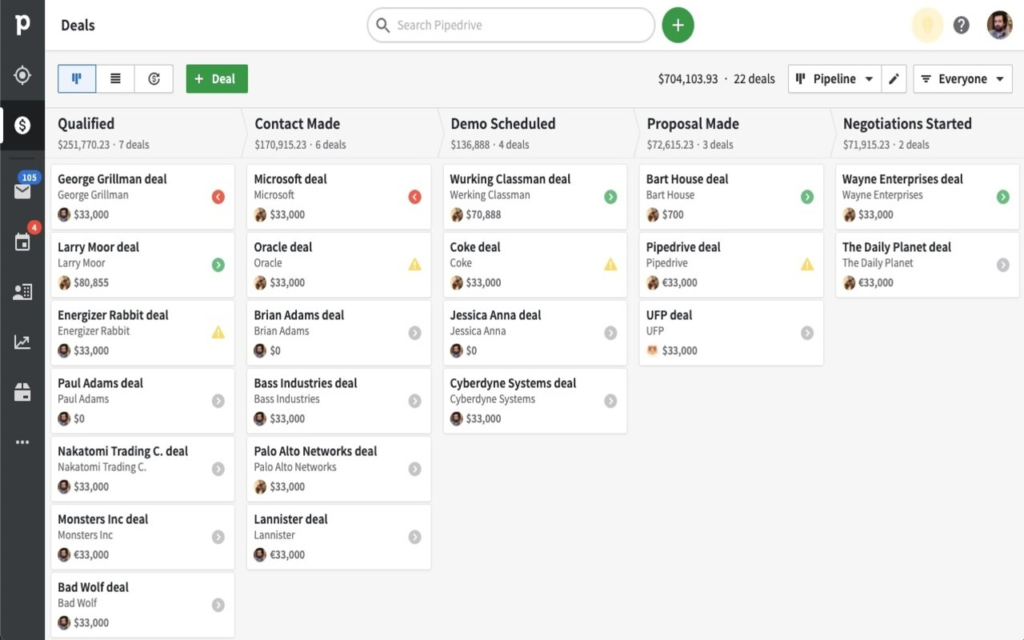
Pipedrive features:
- Column-based visual sales pipeline
- Integrations with Google Workspace and Outlook
- Automations for emails and reminders
- Call tracking with automatic transcripts
- Dashboard for sales performance analysis
- Support for multiple pipelines for different teams or products
- Calendar and contact sync
- App marketplace and CRM integrations
- Quick creation of business quotes
- Import/export data in various formats
7. Keap
Keap targets small businesses, freelancers, and local operations. It brings together marketing, contact management, and billing into a single solution, providing integrations that help you manage customer communications more efficiently.
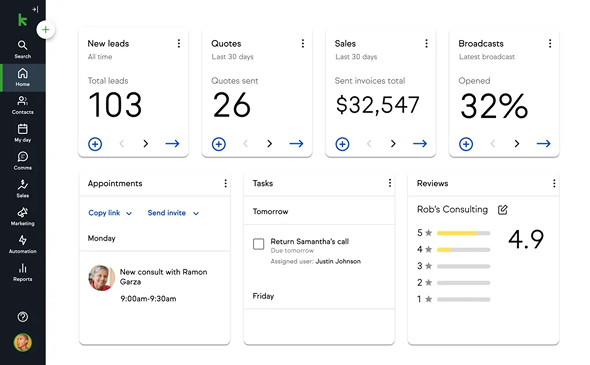
Keap features:
- In-depth contact management and segmentation
- SMS and email marketing automations
- Integrated billing and payments
- Customizable sales pipeline
- Easily generate quotes and contracts
- Integrations with QuickBooks and PayPal
- Built-in landing page and form creation
- List management and promotional campaigns
- Sales reports and conversion tracking
- Mobile app for on-the-go management
8. DragApp
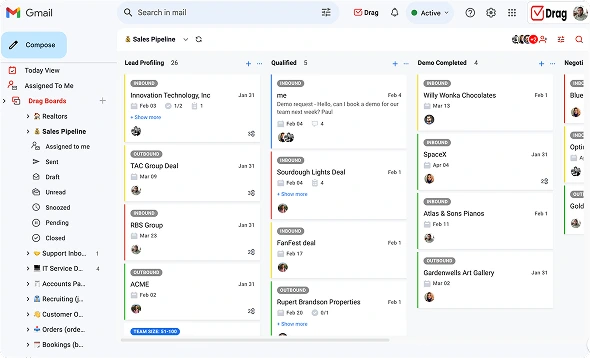
DragApp transforms your Gmail inbox into a CRM, organizing emails, leads, and tasks in Kanban-style columns. It is ideal for freelancers and micro-businesses who need a straightforward way to handle sales directly from their email.
Features of DragApp:
- Kanban-style boards inside Gmail
- Team-sharing of conversations
- Predefined email templates for common responses
- Contact and deadline management in a single interface
- Integration with Google Calendar
- Internal chat for quick coordination
- Private comments on emails
- Automated labeling and movement of messages
- Quick access to attachments and documents
- Integrations via Zapier for third-party apps
9. Salesmate
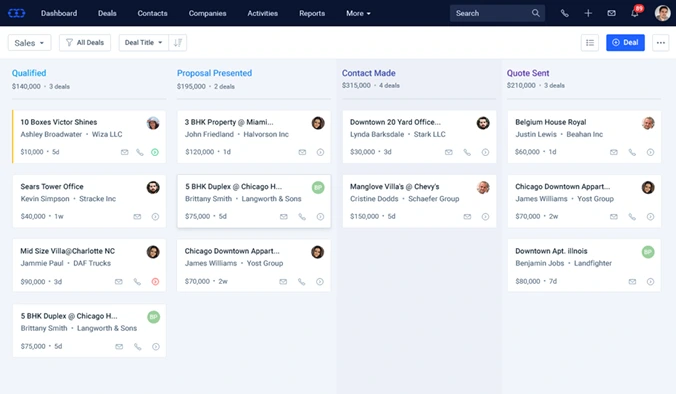
Salesmate is a cloud-based CRM focused on extensive automation for both sales and marketing. It offers multichannel communication tools and integrates with numerous online platforms, helping streamline your processes and improve efficiency.
Salesmate features:
- Customizable sales pipeline
- Email and SMS automations
- A/B testing for email campaigns
- VoIP call tracking integration
- Dynamic contact segmentation
- Workflow builder for complex processes
- Reports and analytics on sales performance
- Integrations with Slack, Zapier and Google Apps
- Centralized address book for leads and companies
- Real-time dashboards for key metrics
10. Freshworks
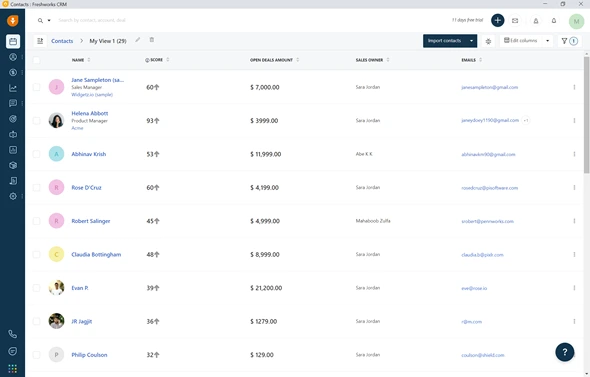
Known also as Freshsales, Freshworks CRM is a cloud-based platform uniting sales, marketing, and support, with a particular emphasis on AI-assisted conversation analysis and contact management.
Freshworks features:
- Multichannel contact and conversation management
- Integrated chatbot and AI-powered assistant
- Native integration with WhatsApp and other channels
- Customized sales pipelines and forecasts
- Campaign manager for email marketing
- Real-time reporting on sales and activity
- Integrations with Google Workspace and Office 365
- Unified ticketing system with Freshdesk
- Lead scoring and follow-up automation
- Mobile app for remote management
11. Monday.com
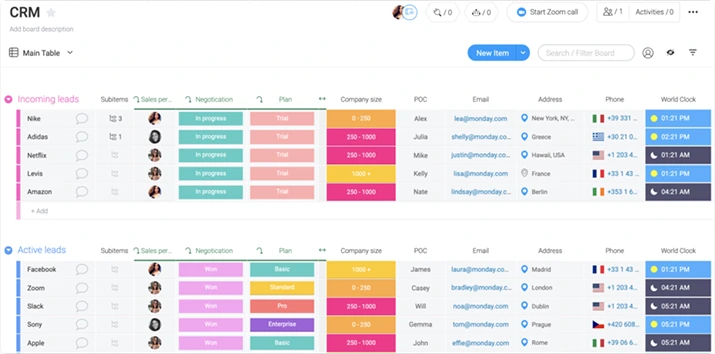
Much like ClickUp, Monday.com began as a project management and collaboration tool but now includes CRM features for managing sales pipelines, contacts, and tasks. Highly adaptable, it connects with many external apps and simplifies workflow administration.
Features of Monday.com:
- External sharing functions with customers and stakeholders
- Visual management of leads and opportunities
- Custom board with Kanban, Gantt and calendar views
- Dynamic forms to collect customer information
- Automations based on custom triggers
- Real-time reports and graphs
- Real-time collaboration with comments and mentions
- Integration with Slack, Gmail and Outlook
- App marketplace and open API
- Preset templates for sales and marketing
Conclusion
A modern CRM is no longer just a database of contacts. It is a truly intelligent system capable of centralizing data, automating processes, and offering strategic insights to every department in your company. Throughout this article, we have explored how different platforms address a variety of business needs, from small companies to larger organizations, and how integrating various modules and workflows has become essential to thriving in today’s market.
Deepser stands out as an all-in-one, solution that includes comprehensive features in its base license, simplifying operations across the board.
Want to try Deepser yourself?
Activate the free 14-day demo and start exploring all it’s features right away (credit card not required).