


Who do you call when your computer suddenly crashes or the printer stops working? The helpdesk, of course! But what happens behind the scenes when you report an issue? That’s where a trouble ticketing system comes into the picture. It’s the unsung hero of customer service, making sure your problems are tracked, managed, and resolved as quickly as possible.
In this post, we’ll dive into what a trouble ticketing software is, why it’s so important, and how it works. We’ll also explore best practices, common challenges, and how automation can make everything smoother. Plus, we’ll introduce you to Deepser, a tool that optimizes the entire trouble ticketing process. By the end, you’ll have a solid understanding of why effective ticketing is crucial for any organization.
What is Trouble Ticketing?
Trouble ticketing is often a Software used to track, manage, and resolve issues that users report. Whether it’s a software glitch, a hardware problem, or a customer complaint, each problem gets logged as a “ticket.” This ticket then goes through a series of steps until the issue is fully resolved.
Trouble ticketing systems are a central part of IT service management (ITSM) and play a key role in customer support. Whenever a user encounters a problem, they report it, via a dedicated Web Portal or with an email integration and a ticket is generated. This ticket acts as a record of the issue and the actions taken to resolve it.
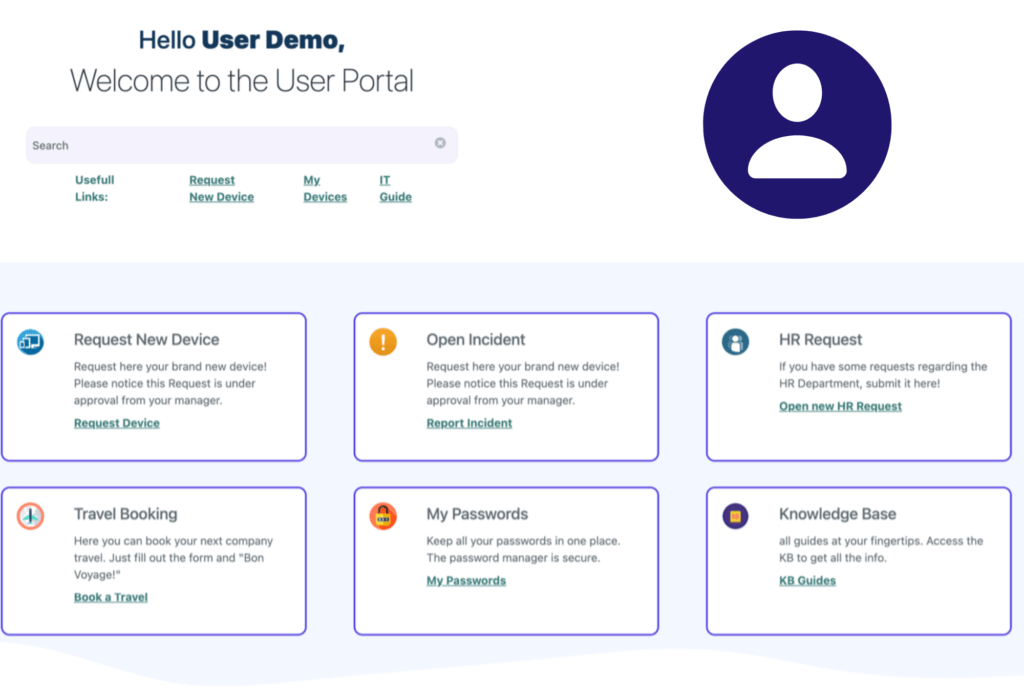
For IT teams, trouble ticketing ensures that no issue slips through the cracks. For customer service, it helps track customer complaints and ensure that they are addressed promptly. Without a proper ticketing system, it would be challenging to manage requests and the numerous issues that arise daily.
Why you need a Trouble Ticketing System in your organization?
The short answer is that a trouble ticketing system enables you to deliver exceptional customer service and foster long-lasting relationships with your clients. Trouble ticketing is essential for several reasons. It not only helps in managing incidents but also ensures quick and efficient resolutions. Let’s look at why this process is so critical.
Importance in Managing Incidents and Ensuring Quick Resolutions
Imagine a day without a trouble ticketing system. Issues would pile up, and it would be chaos trying to remember who reported what and when. Trouble ticketing brings order to this chaos. It allows IT and customer service teams to prioritize and manage incidents systematically.
When an issue is reported, a ticket is created. This ticket is then categorized and assigned to the right team for resolution. The entire process is tracked, ensuring that nothing is forgotten or overlooked. This leads to quicker resolutions, reduced downtime, and happier users or customers.
Key Stages of the Trouble Ticketing Process
Now that we understand what trouble ticketing is and why it matters, let’s walk through the key stages of the ticketing workflow.
Steps in the Ticketing Workflow
- Ticket Creation: The process begins when a user reports an issue. This could be done via email, a phone call, or a self-service portal. Once the issue is reported, a ticket is automatically created in the system.
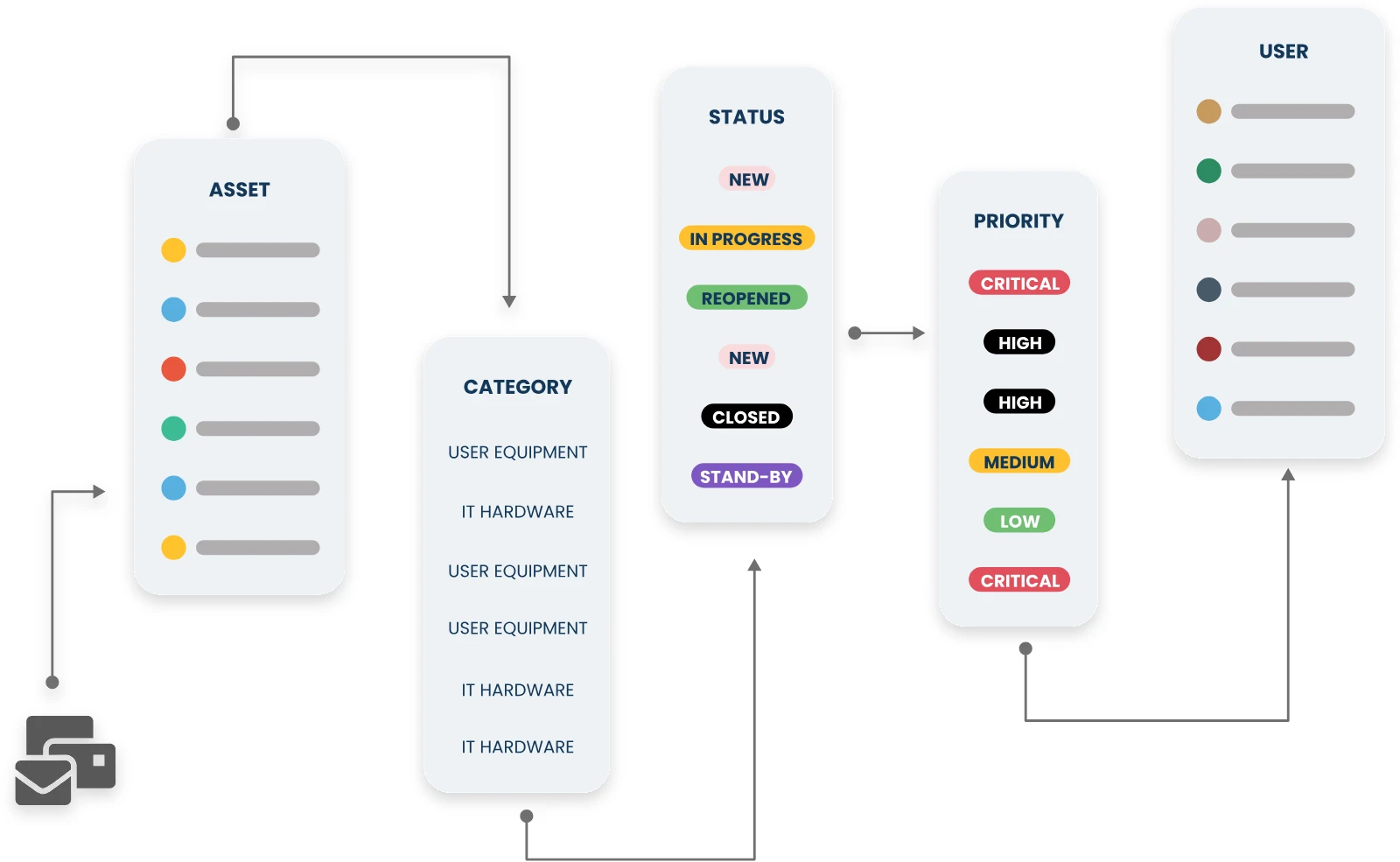
- Categorization: Next, the ticket needs to be categorized so it can be handled efficiently. Common categories include hardware issues, software problems, network issues, and customer complaints. The customer portal helps with this crucial process by automatically assigning a category to incoming tickets.
- Assignment: Once categorized, the ticket is assigned to the appropriate team or individual. This ensures that the right people are working on the problem.
- Resolution: The assigned team works on resolving the issue. They might troubleshoot the problem, apply a fix, or escalate the ticket if it requires further attention.
- Closure: After the issue is resolved, the ticket is closed. However, before closing, it’s essential to document what was done to fix the problem. This helps in tracking recurring issues and can be useful for future reference.
Best Practices for Trouble Ticketing
Effective trouble ticketing isn’t just about following the steps; it’s also about doing it right. Here are some best practices to ensure your ticketing process is smooth and efficient.
Accurate Issue Categorization and Prioritization
Proper categorization is key to a successful ticketing process. If a ticket is miscategorized, it might not reach the right team, leading to delays. Similarly, prioritization is crucial. Not all issues are equally urgent. By prioritizing tickets based on urgency and impact, you can ensure that critical problems are addressed first.
Essential Components of a Trouble Ticket
A trouble ticket is only as good as the information it contains. Let’s look at the critical components that make up an effective ticket.
Critical Information
- Detailed Description: This is the heart of the ticket. It should clearly describe the problem, including any relevant details like error messages or steps to reproduce the issue.
- Urgency: Not all issues are equally pressing. The ticket should indicate how urgent the problem is, so it can be prioritized accordingly.
- Assigned Team: The ticket should specify which team or individual is responsible for resolving the issue.
- Resolution Notes: Once the issue is fixed, the ticket should include detailed notes on what was done to resolve it. This is helpful for future reference and for closing the loop with the user who reported the problem.
Metrics and KPIs for Effective Ticket Management
To ensure your trouble ticketing process is working well, you need to track specific metrics and key performance indicators (KPIs).
Important Metrics include
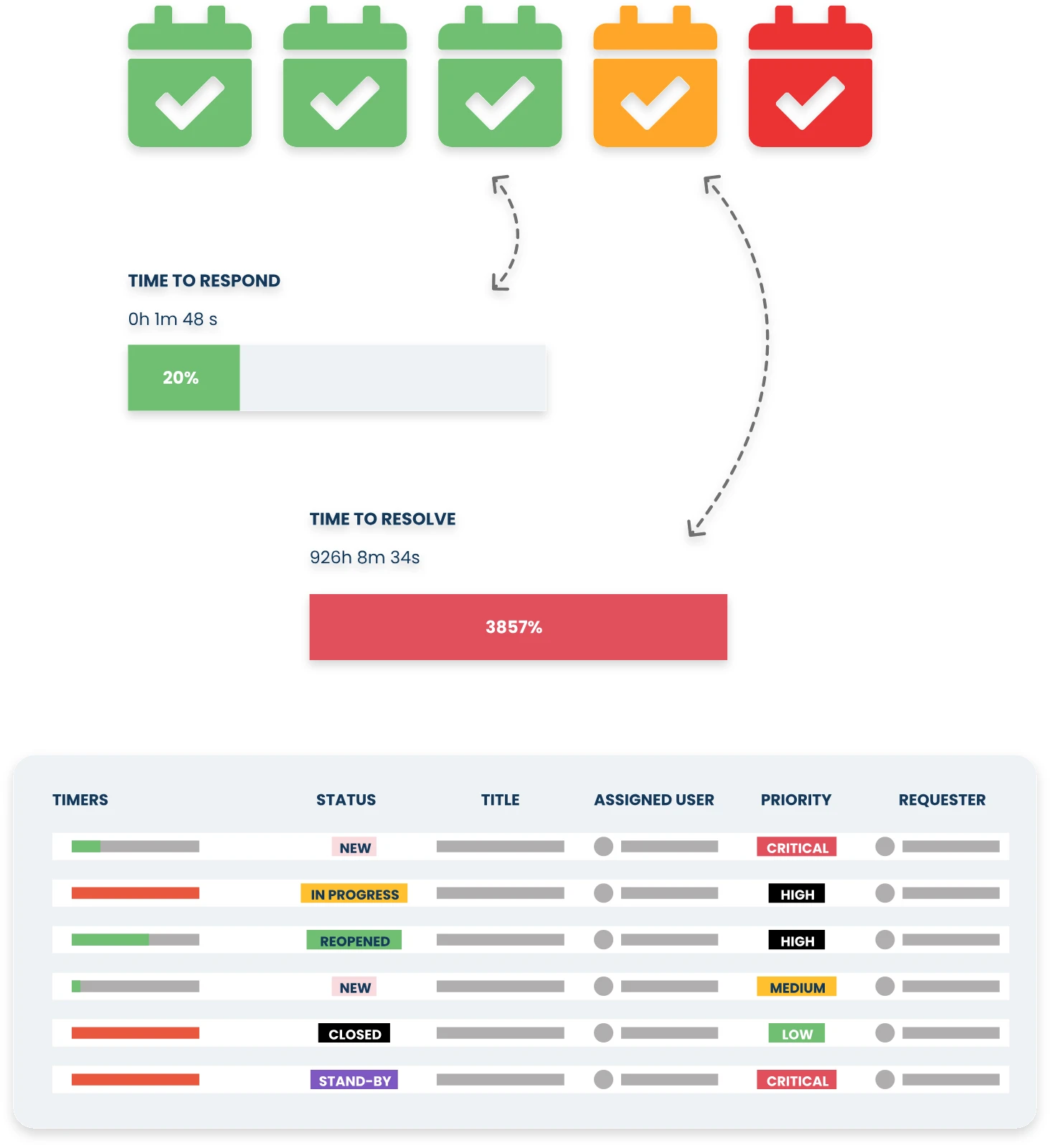
- First Response Time: This measures how quickly the helpdesk responds to a new ticket. A quick response time shows that the team is attentive and ready to help.
- First Contact Resolution (FCR): This measures the percentage of trouble tickets that are resolved on the first interaction with the customer. A high FCR rate indicates that the team is providing effective and efficient support.
- Resolution Time: This tracks how long it takes to resolve an issue from the time the ticket is created. Shorter resolution times indicate efficiency and effectiveness.
- Ticket Reopen Rate: This measures the percentage of tickets that are reopened after being marked as resolved. A high reopen rate can indicate that issues aren’t being fully resolved or that the root cause of the problem isn’t being addressed.
- Resolution Rate by Category: This measures the percentage of tickets resolved by category (e.g. hardware, software, network, etc.). This can help you identify areas where your team may need additional training or support.
Choosing the Right KPIs
Not all metrics are equally important for every business. It’s essential to choose KPIs that align with your organization’s goals. For example, if customer satisfaction is a priority, focus on metrics like first response time and customer feedback. If reducing downtime is crucial, resolution time might be your key metric.
Benefits of Automating Aspects of the Trouble Ticketing Process
Automation can significantly improve the trouble ticketing process, making it faster and more efficient.
Automation Gains
Automating the process helps in speeding up ticket resolution. For example, when a ticket is created, automation can route it to the appropriate team based on the issue category or availability. This eliminates the manual step of assigning tickets, saving time and reducing the chances of misassignment.
Automated status updates also keep everyone in the loop, including the user who reported the issue. This transparency can greatly improve user satisfaction.
Improved Customer Experience
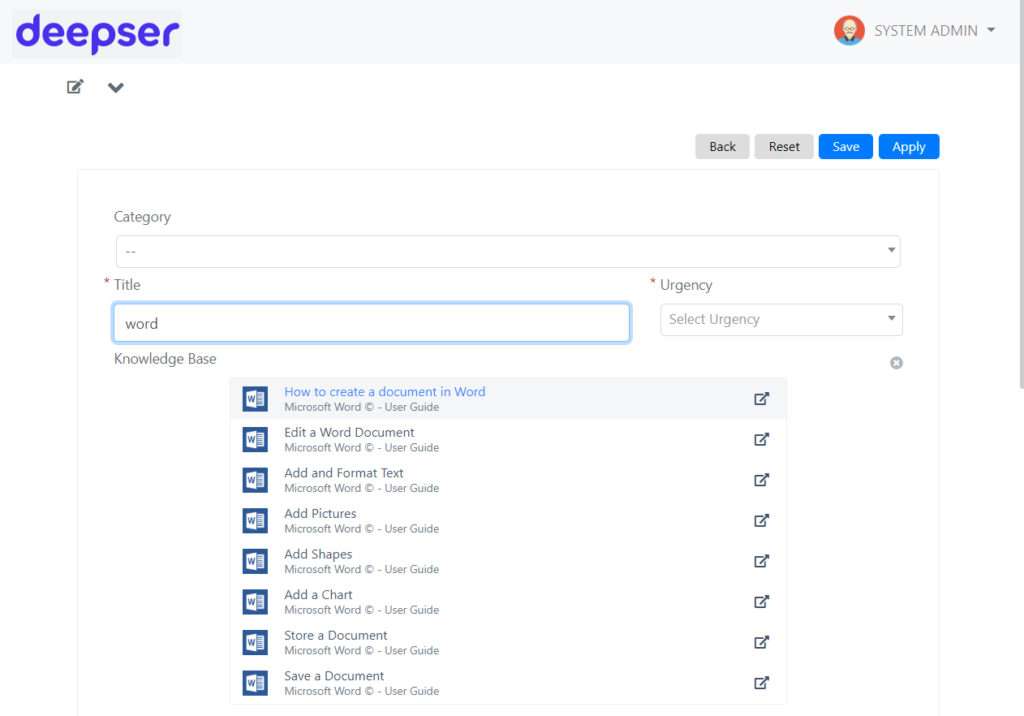
Automation isn’t just about making things easier for the IT team; it also enhances the customer experience. Self-service options, like a knowledge base, allow users to solve common problems on their own, reducing the number of tickets created. Real-time ticket tracking gives users visibility into the status of their issues, which helps in managing their expectations and reduces the need for follow-up calls or emails.
How Deepser Optimizes Trouble Ticketing
Now that we’ve covered the basics, let’s look at how Deepser can take your trouble-ticketing process to the next level.
Deepser’s Automation Features
Deepser offers powerful automation features that streamline the ticketing process. For instance, tickets can be automatically assigned to the right team based on predefined rules. We can assign a Service Level Agreement (SLA) for every ticket, to ensure that if an issue isn’t resolved within a certain time frame, the system can automatically escalate the ticket to ensure it gets the attention it needs.
Custom Solutions: Tailoring Workflows to Fit Your Organization’s Needs
Every organization is different, and Deepser recognizes that. It allows you to customize your user portal ,workflows to fit your specific needs and much more, in fact almost everything is customizable in Deepser. Whether you need a simple ticketing system or a more complex setup with multiple layers of approvals and escalations, wecan tailor the software to meet your requirements.
Conclusion
If your organization is struggling with ticketing challenges or simply looking to optimize its processes, explore what Deepser can do for you and take your trouble ticketing to the next level, activate a free demo from the button below.



